



iCam P20 Demo Target Tracking
iCam P20/P20N AI-based auto tracking demo


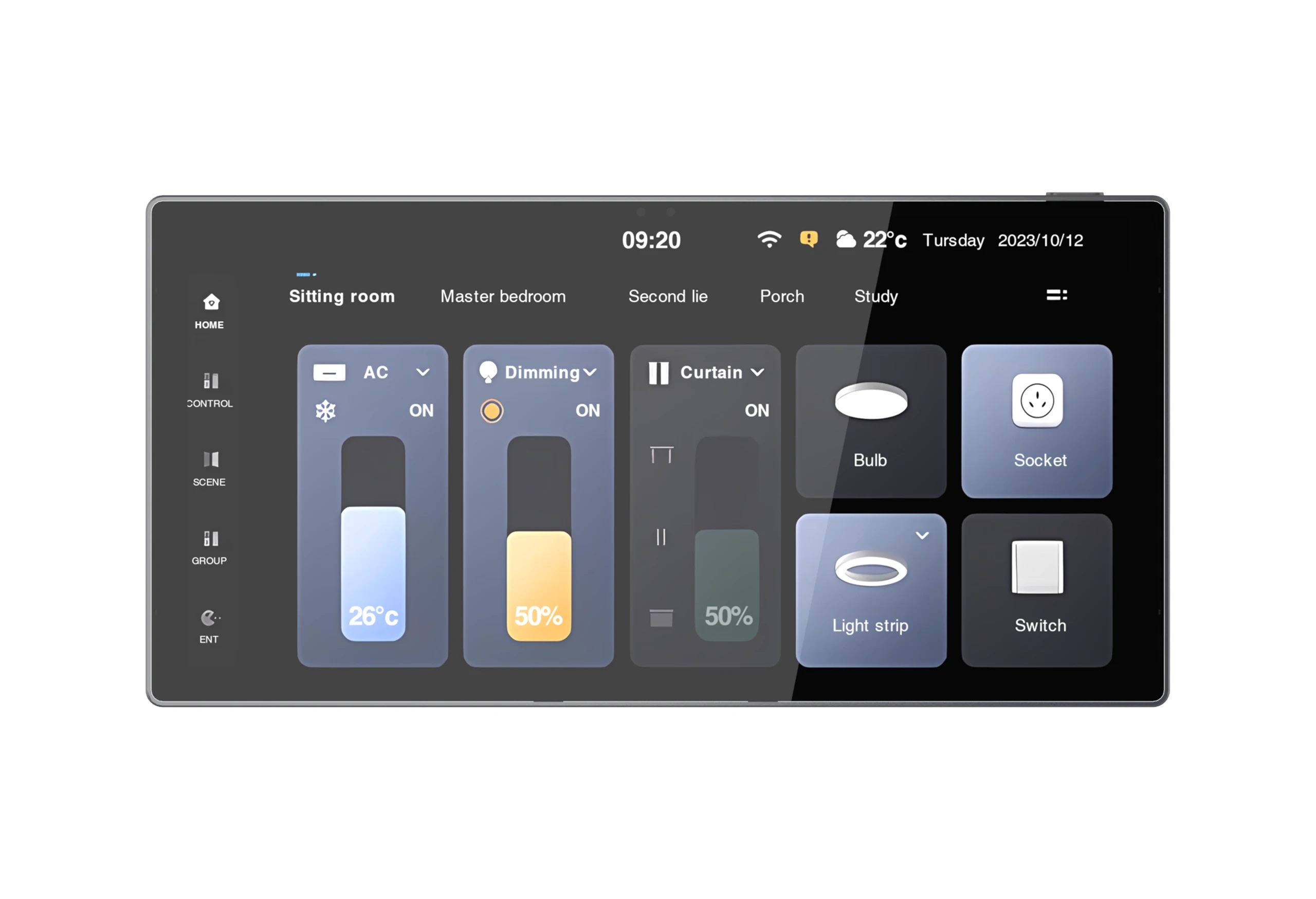
Conference rooms have shifted from basic presentation areas into highly collaborative spaces. These spaces now link displays, cameras, microphones, and wireless presentation systems. They also connect video conferencing platforms and building control systems. As meeting technology grows more advanced, handling these devices smoothly becomes quite difficult for system integrators and corporate users. At INFOBIT AV, we assist AV professionals in easing this burden through smart control solutions. A modern Touch Panel Controller paired with a robust AV matrix builds a unified control experience. This combination boosts daily efficiency, raises user satisfaction, and aids scalable conference room automation.
Today’s businesses want meeting areas to handle hybrid teamwork, BYOD setups, and wireless content sharing. They also need video conferencing and centralized AV management. Still, many meeting spaces depend on numerous remote controls, different software screens, and manual device handling.
This scattered method causes several frequent problems:
|
Challenge |
Impact on Meetings |
|
Multiple control interfaces |
Increased user confusion |
|
Manual device switching |
Longer meeting startup times |
|
Inconsistent room configurations |
More IT support requests |
|
Complex AV workflows |
Reduced productivity |
|
Lack of centralized management |
Higher operational costs |
Meeting room automation solves these troubles by putting all room features under one control platform. A properly built conference room touch screen lets people run the whole room via one clear interface. Therefore, they avoid handling several devices one by one.
A touch screen control panel acts as the main connection point between people and the meeting room technology network. Instead of figuring out how every single device operates, people use a screen.
This method greatly cuts down training time and lowers operating mistakes. Staff members can begin presentations, start video calls, and change display sources. They can also tweak sound levels and manage room settings directly from a single screen.
For corporate settings, ease of use means more than just comfort. It directly impacts meeting speed. Every single minute wasted fixing technology lowers the actual worth of the meeting itself.
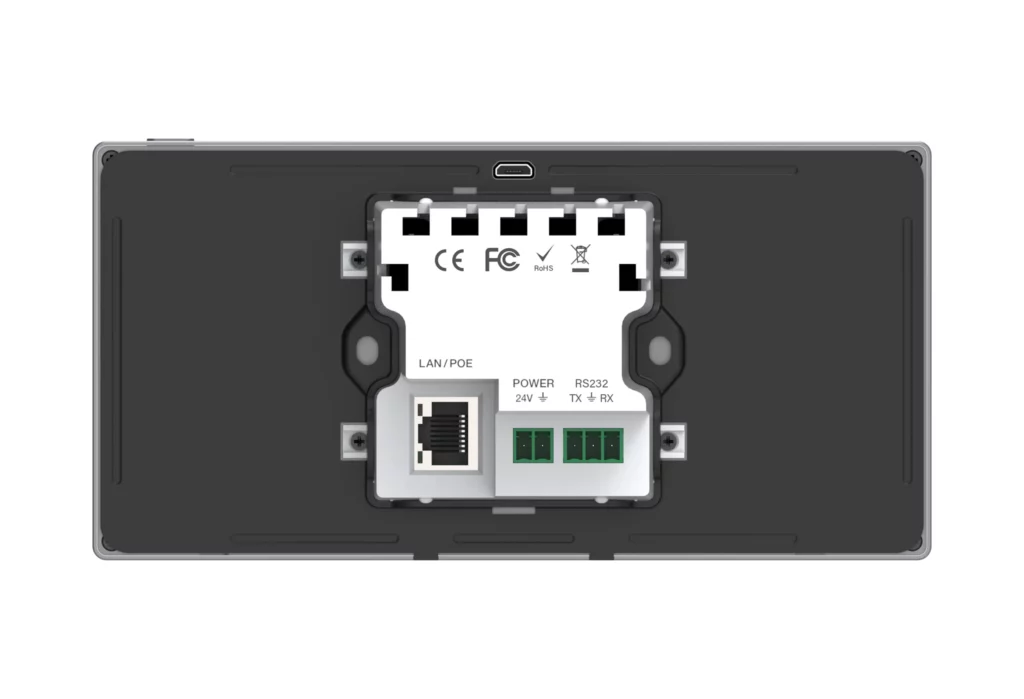
The newest line of wall-mounted touch panel products offers a constantly ready control screen. It stays firmly inside the room, guaranteeing steady access and removing the need for mobile phones or laptops.
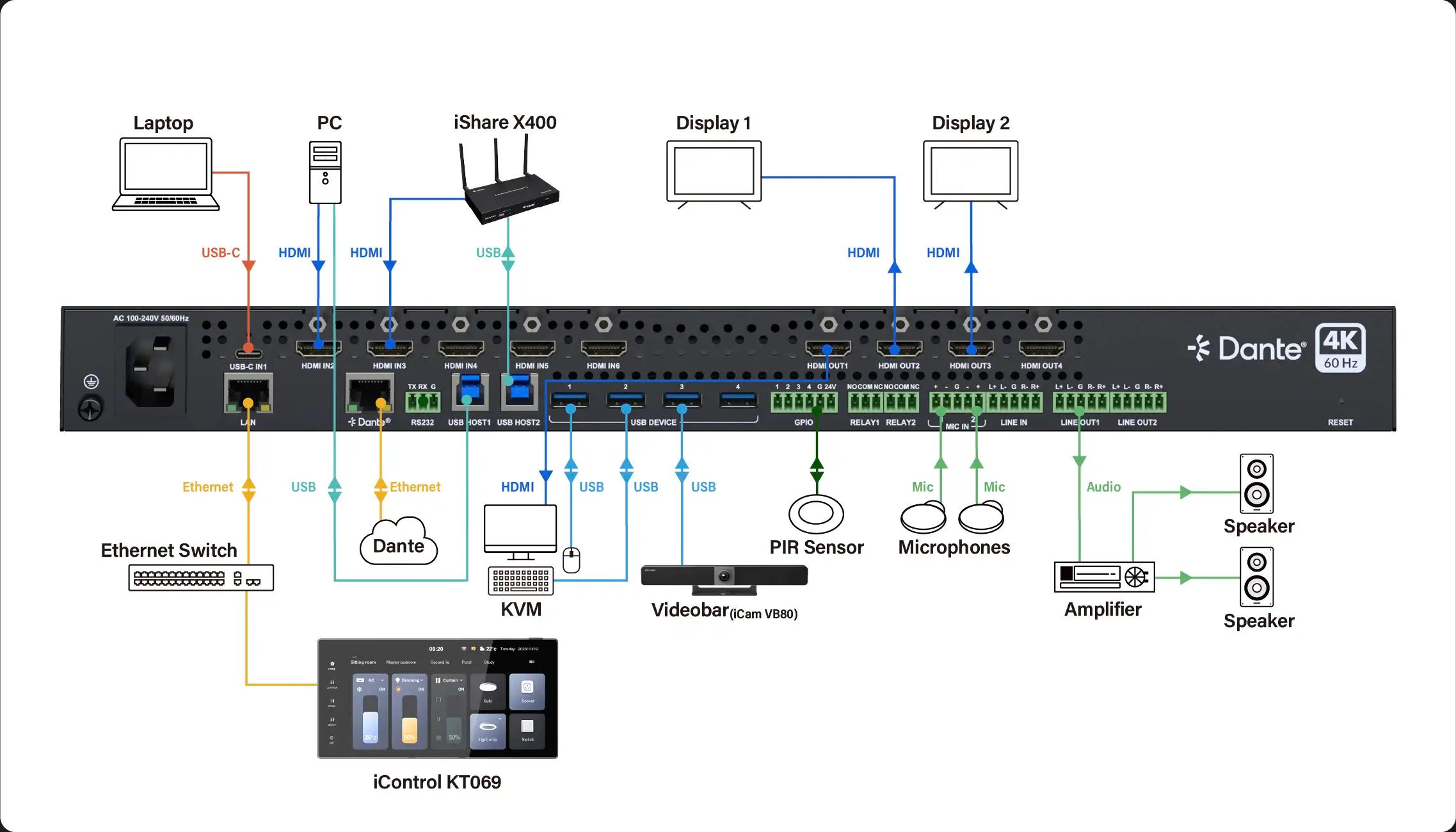
A modern Touch Panel Controller combines an intuitive user interface with centralized control capabilities. Through protocols such as TCP/IP, HTTP, UDP, WebSocket, and RS232, it can communicate with AV devices across the meeting room and execute control commands from a single interface.
This centralized approach allows users to manage displays, matrix switchers, presentation systems, cameras, and audio equipment through one touchscreen, simplifying daily operation and improving meeting efficiency.
INFOBIT AV control solutions back standard communication rules, including TCP/IP, HTTP, UDP, WebSocket, and RS232. This feature permits smooth connection with a large variety of professional AV gear. By keeping the user screen separate from the system processing unit, integrators achieve much more freedom when planning room automation setups.
Professional meeting rooms usually hold several AV devices. These devices must work together flawlessly as one complete system. A modern AV control touch panel lets people trigger entire room setups with just one tap. For instance, one command can easily:
Rather than asking people to manage six or seven items separately, the system handles the tasks quietly in the background. This degree of automation proves highly useful in boardrooms, conference rooms, and training centers. It also helps in multi-purpose halls, showrooms, broadcasting studios, and industrial automation spots.
User experience remains one of the most ignored parts of conference room planning. Even the greatest AV system will fail if people find it hard to use. A well-planned meeting room control panel displays only the buttons needed for specific jobs. This clears away screen mess and boosts ease of use. Key benefits of the control panel include:
People can launch meetings right away. They do not have to hunt for remote controls or tweak gear by hand.
Clear screens lessen user mistakes. As a result, the total number of support tickets drops.
Every single room can share the same control style. This makes it much simpler for staff to run various meeting areas.
Attendees can concentrate on talking and making choices. They avoid worrying about technology management.
For companies running many conference rooms, these upgrades lead straight to operational savings and better output.
Hybrid work has completely changed conference room needs.
Staff members now want to link personal laptops, tablets, and phones smoothly. Based on the INFOBIT AV meeting room solution lineup, BYOD setups need quick and solid wireless sharing features. These features stop matching problems and cut down setup time.
A smart control panel aids in running these tasks by offering direct links to:
Rather than clicking through many software programs, people run the whole meeting space via one central screen.
Conference room automation no longer stays inside just one room. Many companies now demand centralized handling across various meeting spots, training rooms, executive boardrooms, and shared areas. A network-based Touch Panel Controller setup allows wide deployment without adding much trouble.
|
Requirement |
Automation Advantage |
|
Multi-room deployment |
Unified management |
|
Enterprise expansion |
Easy scalability |
|
Central monitoring |
Improved maintenance |
|
Standardized interfaces |
Consistent operation |
|
Future upgrades |
Simplified integration |
INFOBIT AV control goods support TCP/IP networking, PoE setup, Web GUI settings, and programmable screens. This makes them highly fit for large corporate installations.
For AV integrators, having choices is vital. Every single project brings special needs. These involve different room sizes, equipment brands, daily tasks, and client wishes. Programmable touch panels let integrators build tailored user screens. These screens match precise working goals. Advantages include:
Integrators can create workflows and automated steps meant for specific rooms.
Screens can be shaped to show company branding rules.
Backing for standard communication rules makes linking with third-party gear much easier.
For companies building their own automation systems, teaming up with a smart control panel maker brings extra chances. It helps them stand out and grow in the market.
Corporate buyers expect conference room systems to run perfectly every single day. The control network must handle non-stop use while keeping data safe and systems steady. Modern touch panel goods offer:
The INFOBIT AV control panel structure supports Gigabit Ethernet links, dual power choices, and programmable network chats. These are built for professional AV spaces. These features help guarantee lasting reliability in vital meeting areas.
Conference room technology keeps getting more advanced, yet the user experience must stay simple. A properly built Touch Panel Controller working with a centralized Central Controller changes tricky AV spaces into clear, fast teamwork areas. Through centralized control, automated tasks, scalable setups, and smooth linking, companies can boost meeting output while lowering daily trouble.
At INFOBIT AV, we partner closely with AV integrators, advisors, and corporate buyers. We provide professional conference room automation goods that support modern teamwork needs and future tech growth.
Whether you are setting up a boardroom update, building a multi-room AV system, or seeking a steady smart control panel partner, our tech team can assist you.
Ask for a project talk, send your system design files for a check, or get a tailored price quote straight from our team.
The choice relies on room size, device count, communication rules, user needs, and linking demands. Professional AV spaces usually need support for TCP/IP, RS232, PoE, and programmable screens. This ensures they work well with current systems.
Yes. Most professional control systems back standard rules like TCP/IP, RS232, HTTP, and WebSocket. This allows easy linking with displays, matrix switchers, PTZ cameras, DSP processors, and conferencing platforms from various makers.
A wall-mounted touch panel offers a fixed and constantly ready user screen. It removes the need for personal phones, provides a steady user experience, and boosts reliability in corporate meeting spaces.
Please leave your demand details below so that we can get in touch with you immediately.
