







The everyday office has changed a great deal. It has shifted from fixed desks to a more flexible setup where people use mobile tools and BYOD & BYOM solutions. In 2026, workers depend on their own gadgets for job duties. This is not just a passing fad anymore. Instead, it forms a basic part of how businesses run. Yet, lacking a solid plan can cause tech issues and serious risks to information safety. Creating a strong BYOD corporate policy connects worker freedom with company safety in a vital way.
Understanding the Modern BYOD Policy Definition
To create a workplace ready for what comes next, begin with a straightforward BYOD policy definition. Basically, a Bring Your Own Device (BYOD) policy consists of company guidelines and tech steps that control how staff use their private equipment—like notebooks, mobile phones, and tablets—to reach important business information and network links.
Today, this idea goes further than basic email use. It includes things like sharing screens over the air, combined communication tools (UC), and smooth linking of private gear into group meeting areas. A full BYOD policy definition needs to cover which devices qualify, proper ways to use them, and the exact programs or connections needed to keep things professional in team discussions.
Why BYOD Policy Security is the Pillar of Enterprise Integrity
The biggest challenge in adding mobile tools lies in the dangers from unregulated devices. Setting up a solid BYOD policy security plan is key to handling these dangers. With advanced online threats around, a casual “just connect and hope” method does not work. Firms need to consider possible information spills when private devices link to business audio-visual setups.
Solid BYOD policy security calls for protection in several layers:
- Full encryption for every wireless signal sent from private devices to room screens.
- Separate network setups, so guest or personal devices stay on a VLAN (Virtual Local Area Network) away from main company servers.
- Login steps that demand special codes or device checks before anyone can share content.
- Options to erase company data from private devices if they get lost or if a worker leaves.
How a Formal BYOD Corporate Policy Eliminates Meeting Room Friction
Everyone knows the hassle of searching for the right cable. Staff walk into a conference space and discover the projector’s HDMI or DisplayPort link does not match their fresh USB-C notebook. This wastes precious minutes and hurts how the team looks. A properly handled BYOD corporate policy makes the setup standard. As a result, any gadget connects right away.
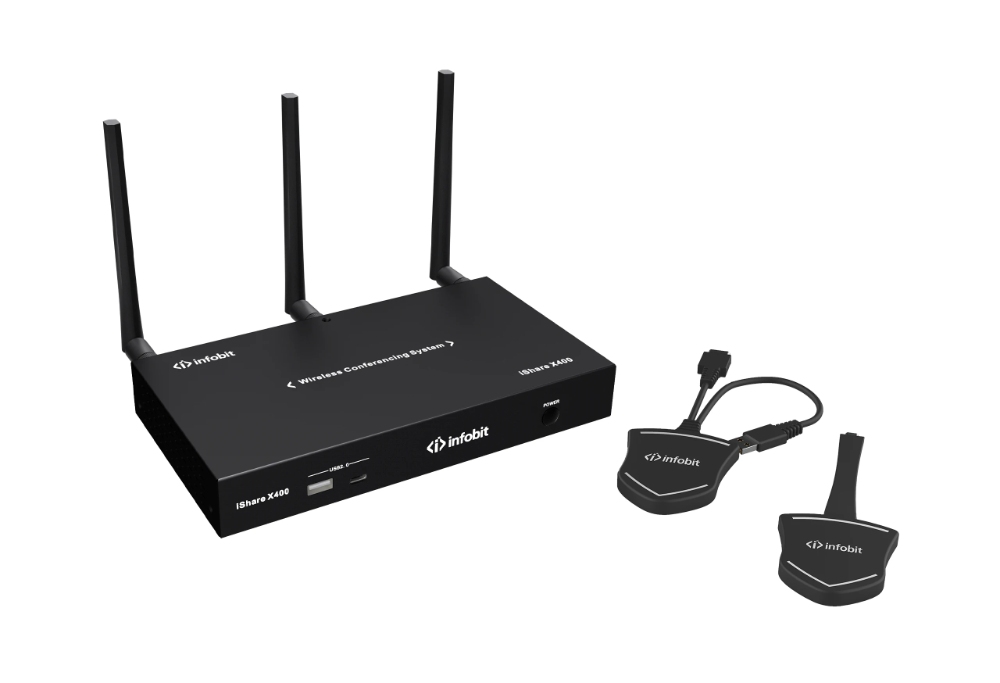
INFOBIT AV has tackled these problems with top-notch tools that make rules work in real life. As a Wireless BYOD BYOM Switcher leader, INFOBIT AV has tackled these problems with top-notch tools that make rules work in real life. Through the iShare X series, groups can enjoy a simple “Plug, Click, and Cast” process that handles Windows, macOS, iOS, and Android at the same time. This mix of hardware and software makes sure the BYOD corporate policy acts as an active part of routine tasks, not just a forgotten paper.
Technical Analysis of BYOD Connectivity Solutions
A working plan demands the correct setup. Based on safety needs and office design, various hardware details are necessary to back your byod corporate policy.
|
Feature / Model |
iShare X400 (Wireless) |
iHub 301 (Wired) |
iTrans UC-HUB2U (Hybrid) |
|
Primary Connection |
Wi-Fi / Wireless Dongle |
USB-C (Hardwired) |
USB-C / HDMI Mixer |
|
Max Resolution |
4K @ 60Hz |
4K @ 30Hz |
4K @ 30Hz |
|
Device Support |
Win, Mac, iOS, Android |
Any USB-C Host |
3 Camera Sources |
|
Power Delivery |
N/A |
100W PD Charging |
Integrated Mixer |
|
Security Level |
WPA2/AES-128 Encryption |
Physical Port Control |
Web GUI Management |
|
Best Use Case |
Executive Boardrooms |
Hot Desking / Huddle Rooms |
Pro UC Environments |
Step-by-Step Implementation of BYOD Policy Security
Moving to a proper structure takes a careful process. This way, BYOD policy security stays strong without slowing down how users work.
Identify the Tools and Access Levels
- Figure out which teams need complete entry to inner storage and which get just “show only” rights.
- Set the lowest system needs for devices so they match current safety updates.
Select Universal Hardware Interfaces
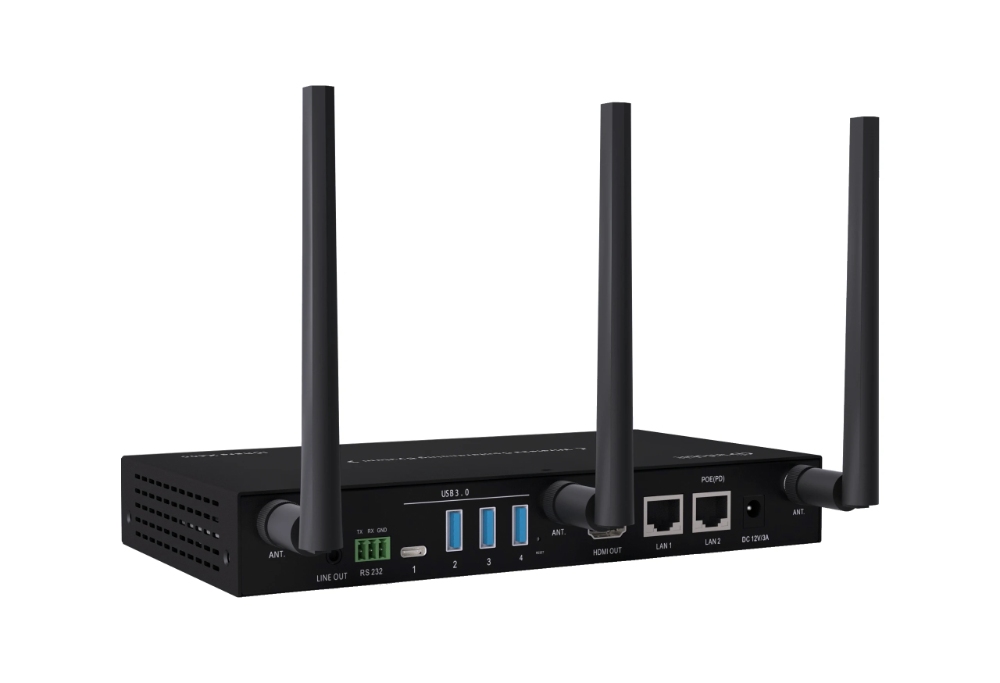
- Roll out air-based sharing systems like the iShare X series to skip the need for wired adapters.
- Place built-in centers like the iHub 301 in small meeting spots. These offer a clear 4K video display and device charging up to 100W via one USB-C line.
Establish Clear Usage Guidelines
- Write a guide that explains what gets checked and what stays personal on a worker’s gadget.
- Offer sessions on using the “Click and Cast” tools to prevent sharing private alerts by mistake.
Learning from Real-World BYOD Success Stories
The effects of a planned BYOD corporate policy show up best in demanding settings. For example, various global groups have added INFOBIT AV tools well to fix the “cable worry” in key talks. They moved from a jumble of HDMI, DVI, and DisplayPort wires. Thus, these companies now center on their concepts instead of IT fixes.
In several examples, adding the iShare X system let groups change speakers in under two seconds. Such quickness comes straight from a plan that stresses wide matching. When the BYOD policy definition sets a clear air-based priority, the tech team can turn to planned progress rather than mending damaged projector links.
Conclusion
Looking ahead to work in 2026 and later, blending private devices is certain to happen. A proper BYOD corporate policy turns this certainty into a real edge over others. By stressing a plain BYOD policy definition, focusing on BYOD policy security, and putting money into the best hardware base, your firm can build a setting of quick, safe, and easy teamwork.
Try out the next level of conference tech with INFOBIT AV. From the air freedom of the iShare X series to the strong ease of the iHub 301, we supply the items you require to make your BYOD policy real.
FAQ
Q: Why is a BYOD policy important for small businesses?
A: Small companies gain a lot from a BYOD corporate policy. It cuts down on spending for new gear and lifts worker spirits. However, if there is no clear BYOD policy definition, these outfits face greater chances of information breaks. Using standard items like air switchers helps even a tiny crew keep high BYOD policy security and solid show standards. And they do this without a huge tech budget.
Q: What are the main security risks of BYOD?
A: When it comes to BYOD policy security, the top dangers involve unsafe sending of data, blending private and work logins, and letting bad software slip into the business web from a tainted personal phone or notebook. Strong plans cut these issues by applying locked sharing tools and needing network checks for every device tie-in.
Q: How do I write a BYOD corporate policy?
A: Begin by setting the range, like who and which gadgets it includes. Then, list the BYOD policy security needs, such as required codes or locked data. After that, describe limits on tech help, making clear what the support crew handles. In the end, add hardware rules, like making all devices use a set air sharing way to guarantee matching and safety.
Q: Does BYOD improve employee productivity?
A: Yes, studies keep showing that workers do better with tools they know well. A set BYOD corporate policy skips the time to learn new office items. It also stops tech hold-ups in talks. By giving simple links like USB-C centers or air sticks, firms can often save about 10-15 minutes each meeting on getting ready.
Q: What is the difference between BYOD and BYOM?
A: A BYOD policy definition centers on the gear a worker brings in. On the other hand, BYOM, or Bring Your Own Meeting, deals with programs and team tools. BYOM lets someone run a Zoom or Teams call from their notebook while linking over the air to the room’s main camera and mic. Both depend on a firm BYOD corporate policy to run safely and well inside the company’s web.
