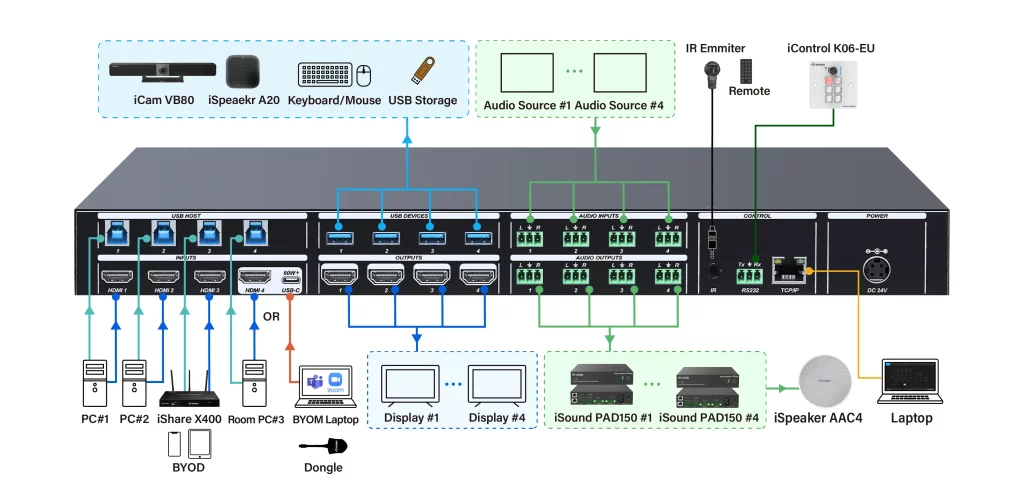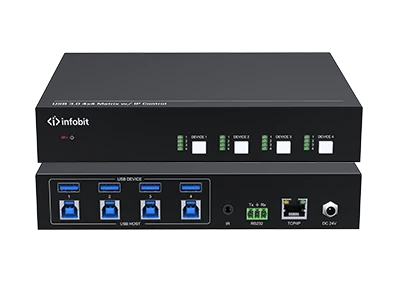





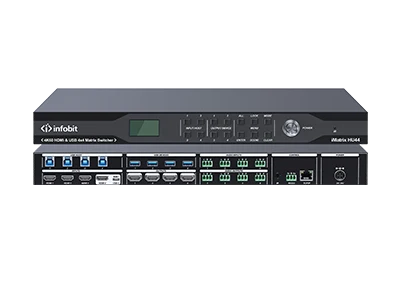
4x4 HDMI matrix, 4x4 USB matrix, 8x8 audio matrix. HDMI2.0, 4K@60Hz 4:4:4 & HDCP2.2. Video seamless switching. Provides up to 60W PD charging for USB-C. Supports analog audio embedding & de-embedding Video, audio & USB fast preset set & recall. Control via front panel buttons, IR, RS-232 or TCP/IP (WEB-GUI).
WHY SHOULD YOU USE USB MATRIX IN YOUR MEETING ROOM?
USB AV Matrix


16
Jan
1. What is USB Matrix?
A USB matrix is a specialized hardware device that allows multiple host computers (like laptops or PCs) to share and access multiple USB peripherals (like cameras, microphones, printers, or storage) at the same time in any combination.
Unlike a standard USB switch, which typically lets only one computer use all connected devices at a time, a matrix allows for independent routing.
2. Key Functions
- Independent Routing:In a 4×4 matrix, Computer A can use a webcam while Computer B simultaneously uses a printer or a shared hard drive from the same device.
- Simultaneous Multi-Host Access:It maintains active connections to several hosts, allowing users to “mix and match” which computer controls which peripheral without unplugging cables.
- High-Speed Data & Power:Modern versions support USB 3.2 Gen 1 (5Gbps) or higher, providing enough bandwidth for high-definition cameras and fast data transfers.
- Flexible Control:Switching can be managed via physical buttons, infrared remotes, or even network interfaces (WebGUI/RS-232) for professional installations.
3. Common Variations
- Pure USB Matrix:Focuses strictly on USB data routing for peripheral sharing.
- USB-C/HDMI Matrix:Often used in 2026 meeting rooms to switch both 4K video and USB data simultaneously, often providing laptop charging through a single cable.
- USB Audio Matrix:Specifically designed for professional audio, routing Dante network channels or analog audio into a unified USB stream for video conferencing.
4. Use Cases
- Meeting Rooms (BYOD):Switching a room’s high-end camera and mic between a permanent Room PC and a guest’s laptop.
- Control Rooms:Allowing operators to monitor multiple systems while instantly “strolling” their mouse and keyboard control between screens.
- Laboratories/Education:Sharing specialized hardware like microscopes or document cameras across several student workstations.
5. INFOBIT USB Matrix
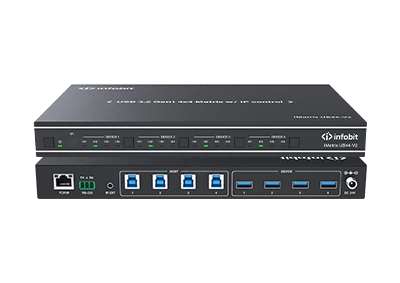
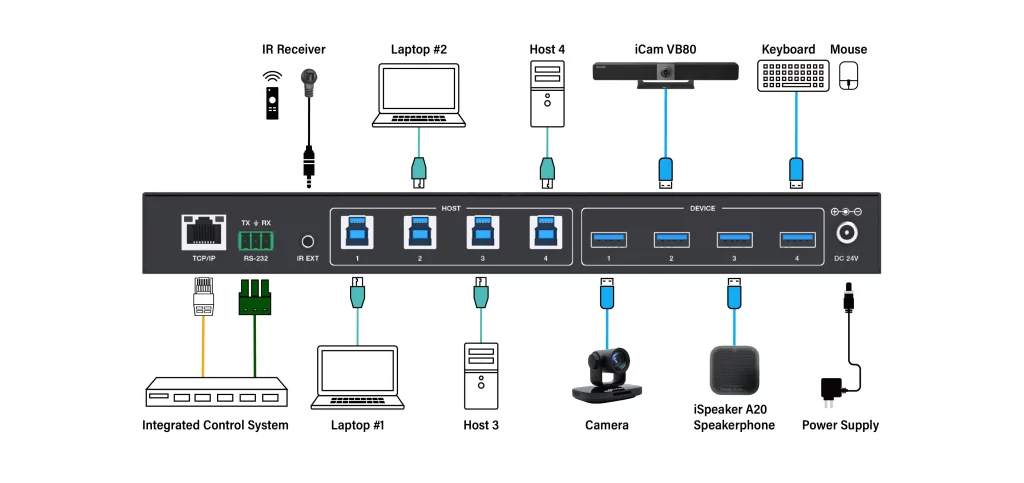
5.1 iMatrix UB44-V2

FEATURES
- USB 5Gbps 4×4 Matrix
- Enables 4 computers to share 4 USB 3.2 Gen 1 devices
- USB 3.2 Gen 1 compliant, data transfer rates up to 5Gbps
- LED indicates which host is active
- Over-current protection
- 5V/1.5A output for USB device ports
- USB device ports compliant with USB 3.2 Gen 1, USB 2.0, and USB 1.1
- Plug and Play– no drivers or external power adapter needed
- Multi-platform support – Windows, Linux and Mac
- Control via front panel buttons, IR remote, RS-232, and Web GUI
DIAGRAM
6. What difference between USB matrix and KVM switcher?
The primary difference between a USB Matrix and a KVM (Keyboard, Video, Mouse) system is the type of signals they handle and how they manage connections between multiple users and computers.
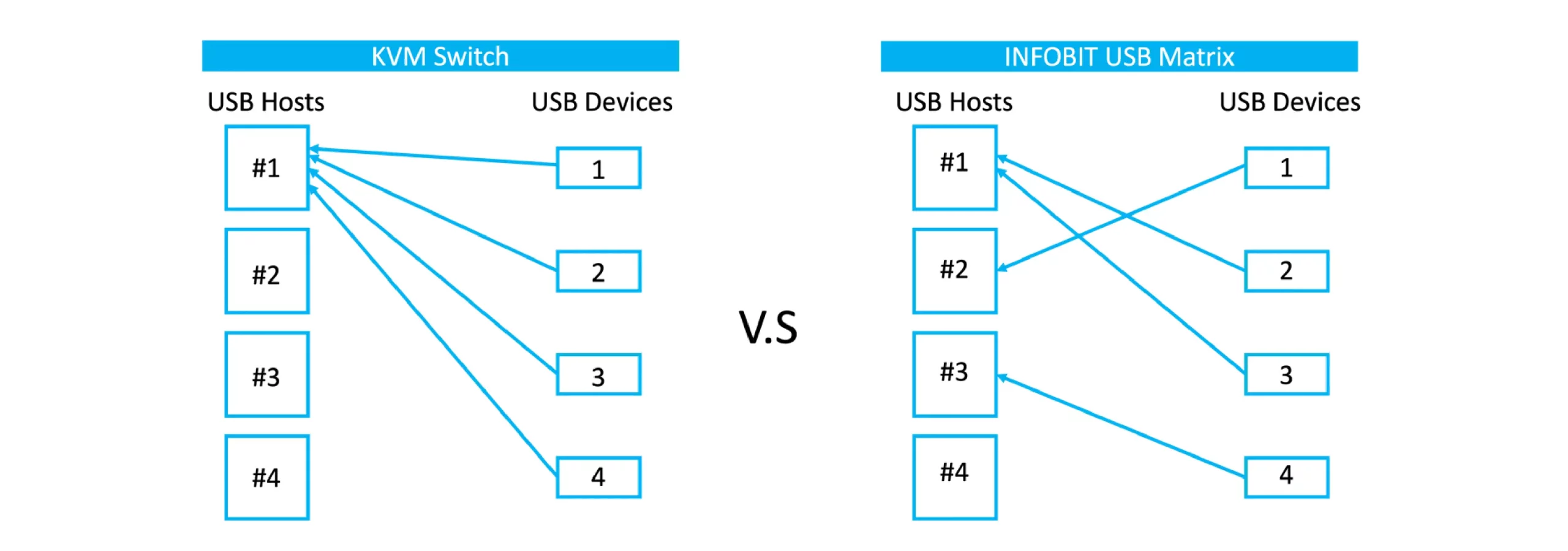
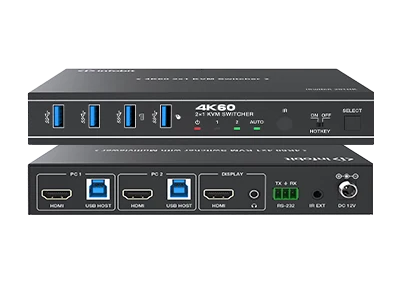
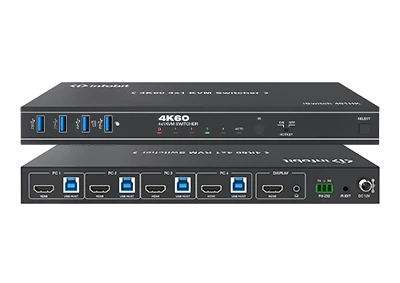
- Signal Type:A USB Matrix only switches and routes USB data signals (like keyboard, mouse, or webcams). A KVM switches video signals (HDMI, DisplayPort) in addition to USB peripherals.
- Routing Logic:
-
- USB Matrix:Allows multiple users to independently access different computers at the same time. For example, User A can use Computer 1 while User B uses Computer 2, or both can share a single device.
- KVM Switch:Typically allows one user to toggle a all of peripherals at one time between multiple computers.
- KVM Matrix:Combines both, allowing multiple users to simultaneously share and switch between multiple computers’ video and USB signals.
COMPARISON TABLE
|
Feature |
USB Matrix |
KVM Switch |
All-in-One Matrix |
|
Switches Video? |
No |
Yes |
Yes |
|
Switches USB? |
Yes Any USB devices switched. |
Yes All USB devices togeter. |
Yes Any USB devices switched. |
|
Best Use Case |
Sharing printers or webcams across a lab. |
Single-desk setups with two laptops or a PC. |
Control rooms, broadcast centers, or data centers. |
6. Why use USB Matrix in BYOD/BYOM meeting rooms?
In a meeting room, a USB matrix (or specialized USB host switcher) is essential for BYOD (Bring Your Own Device) and BYOM (Bring Your Own Meeting) setups because it allows professional-grade audio and video peripherals to be shared dynamically between a fixed Room PC and a user’s laptop.
6.1 Seamless Peripheral Sharing (BYOM)
A USB matrix allows a single set of high-quality equipment—such as 4K cameras, beam-forming microphone arrays, and specialized speaker systems—to transition instantly between the dedicated Room PC (running a native app like Microsoft Teams Rooms) and a guest laptop. Without it, you would have to manually unplug and replug several USB cables every time a user wants to host a meeting from their own device.
6.2 Single-Cable Connectivity
Modern USB-C matrix switchers allow a user to connect their laptop via a single USB-C cable to gain full control of the room’s AV system.
- Video & Audio:The laptop uses the room’s professional camera and microphone as if they were built-in.
- Charging:Many of these switchers provide high-wattage power (e.g., 60W–100W) to the laptop through the same cable, preventing it from dying during a meeting.
6.3 Platform Interoperability
Meeting rooms are often “locked” into one platform (e.g., Zoom Rooms). A USB matrix enables platform flexibility:
- If a guest needs to host a Microsoft Teams, Google Meet or Webex call in a Teams-dedicated room, the matrix “detaches” the USB peripherals from the Room PC and gives them to the guest laptop.
- This eliminates “platform lock-in,” ensuring the room equipment works with any software the user prefers.
6.4 Automated & Intelligent Switching
Professional USB switches often feature automatic detection. When a laptop is plugged into the table’s USB-C port, the matrix automatically routes the camera and microphone to the laptop. When unplugged, it reverts control back to the Room PC, ensuring the room is always ready for the next scheduled meeting without manual configuration.
6.5 Efficient Cable Management
By centralizing all USB connections into a single matrix (often hidden behind the display or under the table), you reduce cable clutter.
7. INFOBIT iMatrix HU44
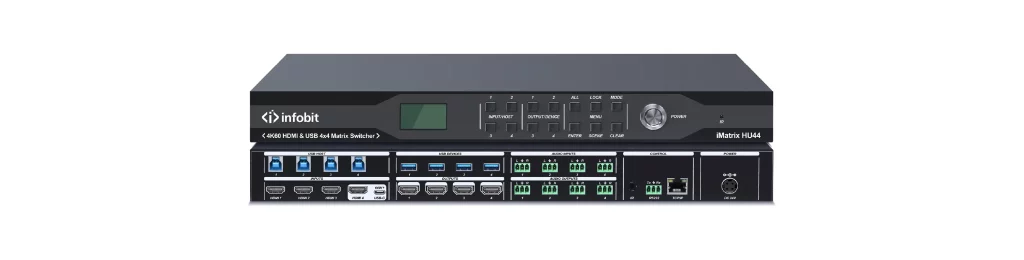
FEATURES
- 4×4 HDMI matrix
- 4×4 USB matrix
- 8×8 audio matrix
- HDMI 2.0, 4K@60Hz 4:4:4 & HDCP2.2.
- Video seamless switching.
- Provides up to 60W PD charging for USB-C.
- Switch any USB A device to any 4 of 5 USB hosts as matrix mode.
- Supports wired BYOM (Bring Your Own Meeting) to switching among Room and BYOD PC.
- Be compatible with USB videobar, camera, speaker, microphones with brands INFOBIT, Logitech, Poly, Yealink, Jabra and more
- USB-C and HDMI Input 4 auto detection and auto switching.
- USB-C 4K60Hz DP1.4 AV Input.
- Supports analog audio embedding & de-embedding
- Supports separated presets saving or recalling for Video switching, USB switching and Audio switching.
- Control via front panel buttons, IR, RS-232 or TCP/IP (WEB-GUI).
- Support CEC to control displays ON/OFF
- Supports standard VESA resolutions and user-defined resolutions.
DIAGRAM