







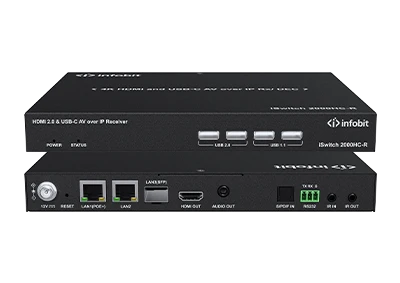
iSwitch 2000HC-R Demo Video
Check hardware intorduction of the iSwitch 2000HC-R...


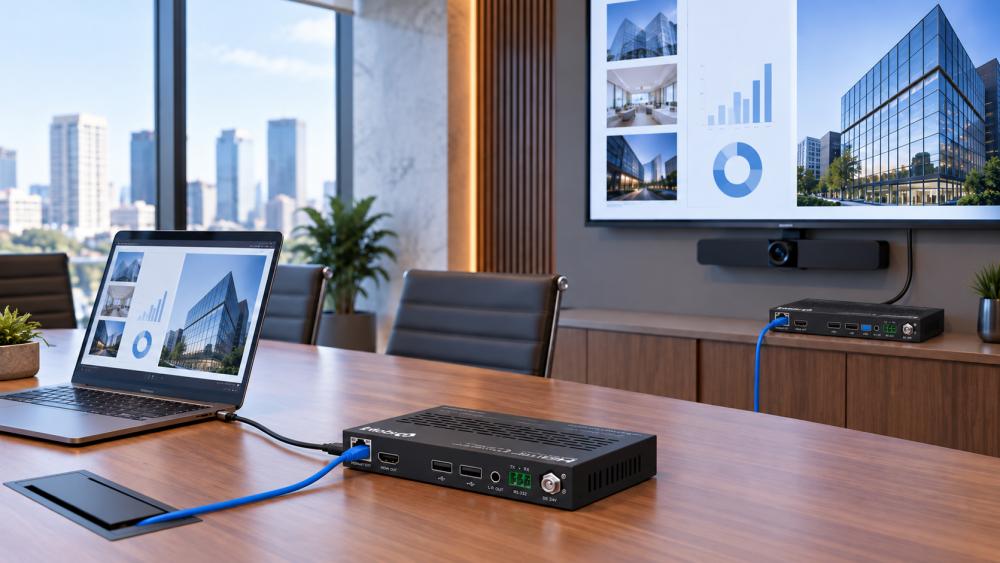
An AV drawing may show only one cable between the equipment rack and the display, but that link can carry much more than a 4K image. USB cameras, touch control, audio return, RS-232, IR, Ethernet, and remote power may all depend on the same connection. At インフォビット, we help professional AV buyers define that full requirement before choosing a 4K 60Hz HDBaseT extender.
Searching for a 4K 60Hz HDBaseT extender usually begins with resolution, but resolution alone cannot define the correct unit. A buyer also needs to know whether the signal is 4K60 4:4:4, whether HDR must pass through, which HDCP version is required, and what else will travel with the video.
Full 4K2K@60Hz YUV 4:4:4 uses 18Gbps video bandwidth across the relevant extender range. That makes bandwidth a practical screening point. An extender described only as “4K” may refer to a different frame rate or color format, so the required output needs to be written in full.
The same applies to HDR and HDCP. Some installations require HDR10, HDR10+, Dolby Vision, or HLG pass-through. HDCP requirements can also differ between systems. The source, extender, and display need compatible specifications; otherwise, the extender may meet the headline resolution without matching the complete signal.
A useful purchasing brief therefore starts with one exact line: source interface, output resolution, frame rate, color format, HDMI version, HDCP version, and required HDR format.
Maximum distance is one of the easiest specifications to misread. The distance printed most prominently may apply to 1080p rather than 4K60.
A. standard 100m HDBaseT installation can carry 4K60 4:4:4 through a single CAT6A/7 cable with products such as the iTrans E100K, E100V3K, E100TR, E100HC, and E100HCU. This covers many professional links between a source location and a remote display, but it does not cover every project described as “up to 150m.”
Selected extenders can reach 150m in Long Reach Mode when the signal is 1080p 8-bit. If the same project must retain 4K60 4:4:4 beyond 100m, the required product class changes. The iTrans E150U2, E150CG, and E150SK carry 4K60 up to 120m and 1080p up to 150m.
|
Project distance |
Required signal |
Relevant transmission capability |
|
Up to 100m |
4K60 4:4:4 |
18Gbps extension over CAT6A/7 |
|
Up to 120m |
4K60 4:4:4 |
Extended-distance 18Gbps link over CAT6 |
|
Up to 150m |
1080p@60Hz |
Standard or Long Reach configuration, depending on model |
|
Up to 150m |
4K60 4:4:4 |
Not covered by the stated 120m 4K60 distance |
This distinction affects both technical selection and quotation accuracy. “150m, 4K extender” leaves room for two different interpretations. “120m at 4K60 4:4:4 over the installed CAT6 cable” gives the supplier a usable requirement.
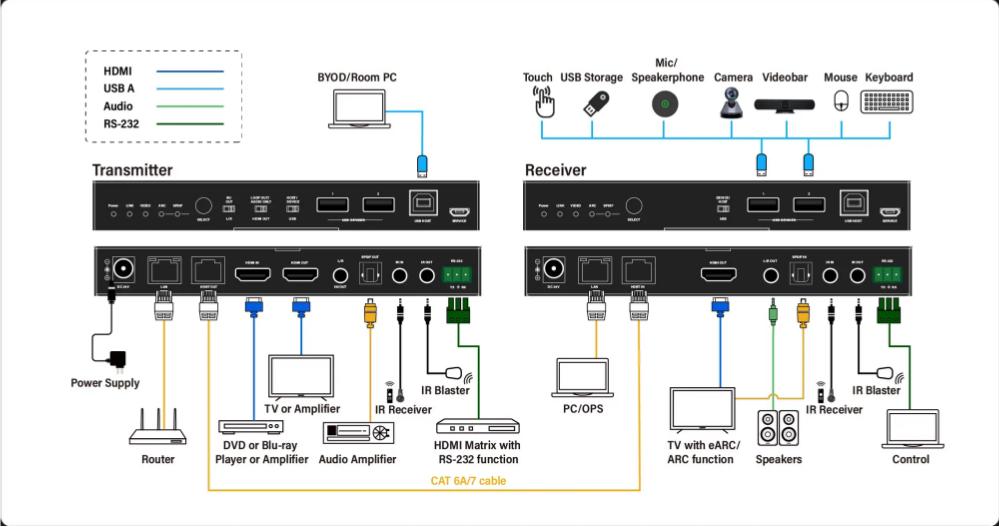
The next decision is not about picture quality. It is about what needs to happen at the remote end.
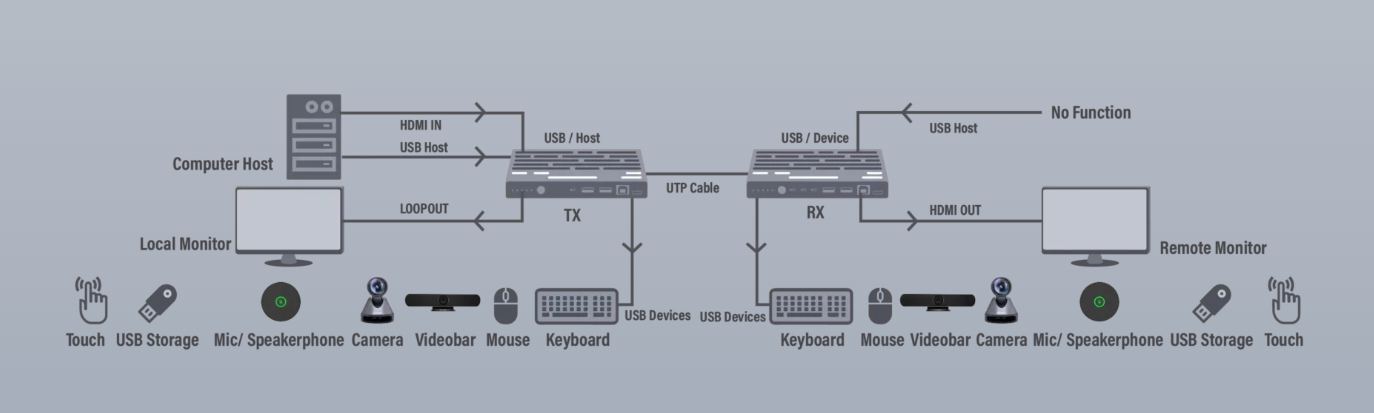
A simple display link may need only video and audio. A control-room position may also need a keyboard and mouse. A meeting room can add a USB camera, microphone, speakerphone, touch display, and guest laptop. These systems may look similar on an AV plan but require different USB and interface support.
USB KVM is the right requirement when an operator needs remote keyboard and mouse control. The iTrans E100K, for example, combines a 100m 4K60 link with USB KVM, configurable Host/Device operation, and USB 2.0 transmission up to 350Mbps.
Video conferencing creates a broader device list. The iTrans E100UC, E100TR, and E150U2 support USB devices such as cameras, microphones, speakerphones, and touch control in the specified conferencing configurations. Instead of writing “USB required,” the buyer should list each peripheral and indicate where the computer and USB devices will be located.
That short device list gives more useful information than the word “KVM.” It also helps distinguish a remote operator station from a room designed for video conferencing.
USB-C matters when a guest laptop must deliver video, USB data, and power through one connection. The iTrans E100HC and E100HCU accept both HDMI and USB-C sources, with automatic or manual input switching. Their USB-C connection supports DP Alt Mode for AV, USB 2.0 data, and charging up to 60W.
This configuration fits a room where users may arrive with different laptop interfaces. The E100HCU can also downscale 4K to 1080p at the HDMI output without changing the frame rate, which is relevant when the source and display operate at different resolutions.
Charging power still needs to be stated. “USB-C input” does not show whether the room needs video only or video, data, and laptop charging together.
Audio return is often treated as part of HDMI, but the required direction and output format still need to be defined. A project may need ARC, eARC, analog audio de-embedding, SPDIF output, or reverse SPDIF transmission.
The iTrans E100V3K brings several of these needs into one 100m HDBaseT 3.0 link. It supports eARC/ARC, SPDIF output, reverse SPDIF audio, bidirectional IR and RS-232, and 1G Ethernet pass-through. Its HDMI loop output also keeps the source available for a local display at the transmitter.
Not every installation needs that combination. A project without Ethernet or eARC should not be specified around those functions. The purpose of checking them is to keep a required control or audio path from being discovered after the main video link has already been chosen.
EDID belongs in the same discussion. Where EDID management is required, it should appear in the brief alongside resolution and display information. The E100TR and E150U2 are among the configurations that include EDID management.
Power location and equipment layout can narrow the choice even when two extenders support the same resolution and distance.
PoC allows power to pass between the transmitter and receiver, reducing the need for power connections at both ends. The direction matters: the range includes Simple Power PoC as well as bidirectional PoC. The installer should identify where mains power is available before the final configuration is approved.
Pairing also affects installation and stock planning. Some transmitters and receivers must be used as matched pairs. Other units work with specified wall plates or related HDBaseT equipment. The E100K receiver, for example, can work with the iTrans WP210-T wall-plate transmitter.
A transceiver provides another approach. The iTrans E100TR can be configured as either a transmitter or receiver, allowing the same device type to serve either end of a supported connection. This can be useful where an integrator wants a more flexible layout with matrices, splitters, or changing signal directions.
A useful request for quotation does not need to be long, but it must remove ambiguity. It should include:
*Source interface and display interface
*Required resolution, frame rate, and color format
*Measured cable distance and installed cable category
*HDMI, HDCP, and HDR requirements
*Keyboard, mouse, camera, microphone, speakerphone, or touch devices
*USB-C data and charging requirements
*ARC, eARC, SPDIF, or analog audio needs
*IR, RS-232, Ethernet, and EDID requirements
*Preferred PoC direction
*Local HDMI loop output or wall-plate requirements
These details let the supplier evaluate the whole signal path rather than quote a unit based on resolution and distance alone.
At INFOBIT, we support integrators, designers, distributors, and professional AV buyers with regional product sales and technical services. Our team has an average of ten years of Pro AV experience, supported by an ISO-certified factory covering SMT, soldering, firmware uploading, assembly, testing, and packaging.
Explore our HDBaseT extender range and send us your AV drawing or signal-path requirements for an online quotation. You can also contact our technical team to check distance, USB, audio, control, and power requirements before placing an order.
Provide the source and display interfaces, full video format, measured cable distance, cable category, connected USB devices, audio routing, control signals, and power arrangement. Include USB-C charging or a local HDMI loop output when required.
The stated distance depends on resolution. The E150U2, E150CG, and E150SK carry 4K60 4:4:4 up to 120m and 1080p@60Hz up to 150m.
Yes, supported configurations can carry 4K video and USB KVM through one category cable. The required distance, video format, cable type, and USB devices must match the selected extender.
The E100HC and E100HCU support USB-C DP Alt Mode video and USB 2.0 data. They also support charging up to 60W, allowing a compatible laptop to connect to the AV path and remote USB devices through the specified configuration.
Send the exact model, transmitter and receiver arrangement, source and display specifications, cable type and length, target resolution, and connected USB, audio, or control devices. A complete connection description gives the technical team a clearer basis for checking the system.
直ちに連絡を取ることができるように,下記の要求の詳細を残してください.
