







O mundo das exibições visuais se mudou de sistemas básicos de uma única tela para grandes arranjos multipainéis. Em salas de controle ocupadas, lojas de escala superior, ou espaços de encontros de escritórios elegantes, mostrando imagens claras em muitas telas tornou-se essencial para operações diárias. No entanto, apenas ligar vários monitores a um dispositivo fonte falta. Para visuais suaves, coordenados e polidos, a configuração precisa de uma unidade central inteligente. É por isso que o controlador da parede de vídeo HDMI serve como elemento chave em sistemas audiovisuais profissionais.
O que é um controlador de parede HDMI
Um controlador de parede de vídeo HDMI é um equipamento robusto construído para dividir um ou mais sinais de vídeo agudos em partes distintas. Cada parte se encaixa exatamente numa tela separada em um arranjo maior. Isto difere de um simples separador HDMI que apenas copia a imagem idêntica para cada display. Em vez disso, um controlador adequado maneja a entrada para formar uma única área de imagem unificada.
Modelos atuais, como o iWall M INFOBIT AV, dependem de projetos do FPGA (Field Programmable Gate Array). Esses fornecem processamento instant âneo sem atrasos e dependência ao redor do relógio. Não existe uma base de software que pudesse fracassar ou ficar infectada. Essas unidades lidam com empregos detalhados como compensação de bezel. Eles ajustam imagens para que as fronteiras reais das telas não interrompam a visão geral. Eles também lidam com escala para manter 4K visuais afiados quando espalhados sobre configurações como 2× 2 or 3× 3 grelhas.
Como o Controlador gerencia múltiplas exibições
Gestão de várias telas exige direção cuidadosa do sinal e mudança de tamanho no local. O processo começa quando uma entrada de vídeo se conecta ao controlador de parede HDMI. Verifica o EDID (Extended Display Identification Data) de cada display ligado para confirmar que correspondem. Depois disso, o controlador quebra o vídeo em seções e os envia através de fortes portos de saída.
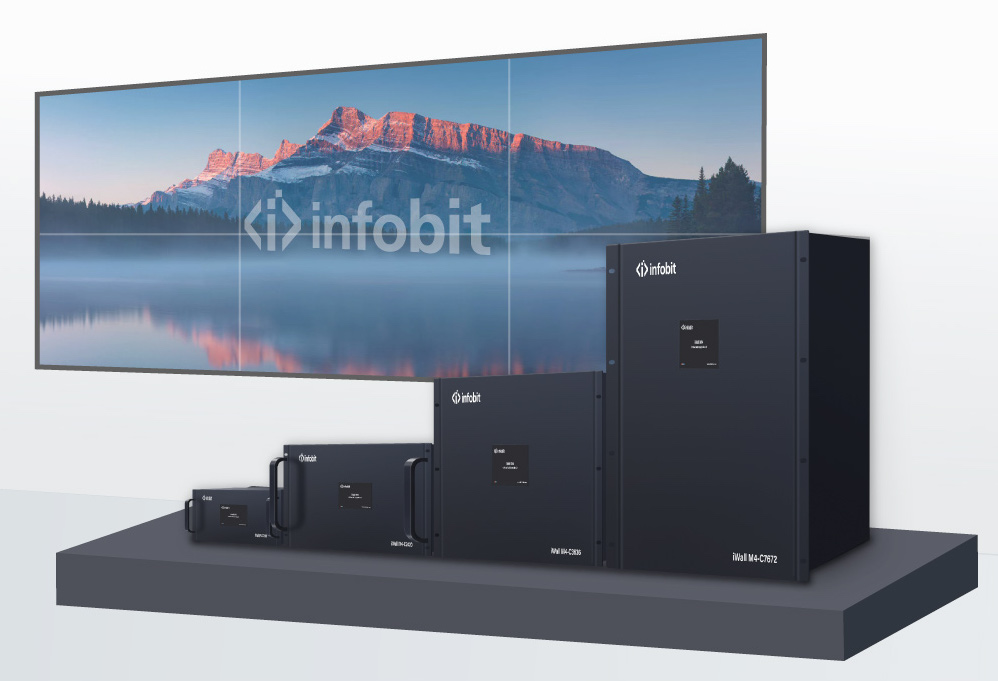
As principais funções de gestão incluem:
- janelas e capas: Os modelos superiores deixam várias "janelas" aparecer na parede ao mesmo tempo. Você pode fazer um vídeo primário através de quatro painéis. Ao mesmo tempo, caixas de informação menores ou atualizações climáticas podem aparecer em certas áreas.
- Sincronização de sinais: Um grande problema em sistemas multiecrã é "destruir", onde um painel se refresca mais rápido do que outros. - Um controlador de qualidade bloqueia todos os quadros juntos para mesmo cronometrar os resultados.
- Disposições criativas: Mais do que redes básicas, controladores avançados permitem virar a tela em modo de retrato e padrões criativos desiguais. Isso dá opções para configurações digitais únicas em prédios.
|
Característica |
Controlador de nível de entrada |
Controlador Modular Profissional |
|
Resolução máxima de entrada |
1080p ou 4K30Hz |
4K60Hz 4:4:4 |
|
Arquitetura |
Software/PC Baseado |
Hardware Puro (FPGA) |
|
Flexibilidade da distribuição |
Fixado (por exemplo, apenas 2×2) |
Modular (8×8 até 72×72) |
|
Output Latency |
Variável |
< 0,1ms (Zero Latency) |
|
Método de Controlo |
Só remoto |
Interface Web, RS232, IP, Touch Screen |
Por que a Arquitetura da Conectividade Importa
Até mesmo HDMI de alto nível controlador de parede de vídeos dependem de ligações físicas sólidas para funcionar bem. Em lugares exigentes como áreas de conferências multitudinais ou postos de comando portátiis, manejar cabos geralmente causa problemas. Os fios soltos padrão podem enfraquecer os sinais ao longo do tempo. Eles também desgastam conectores e criam uma área confusa que tira foco do display principal.
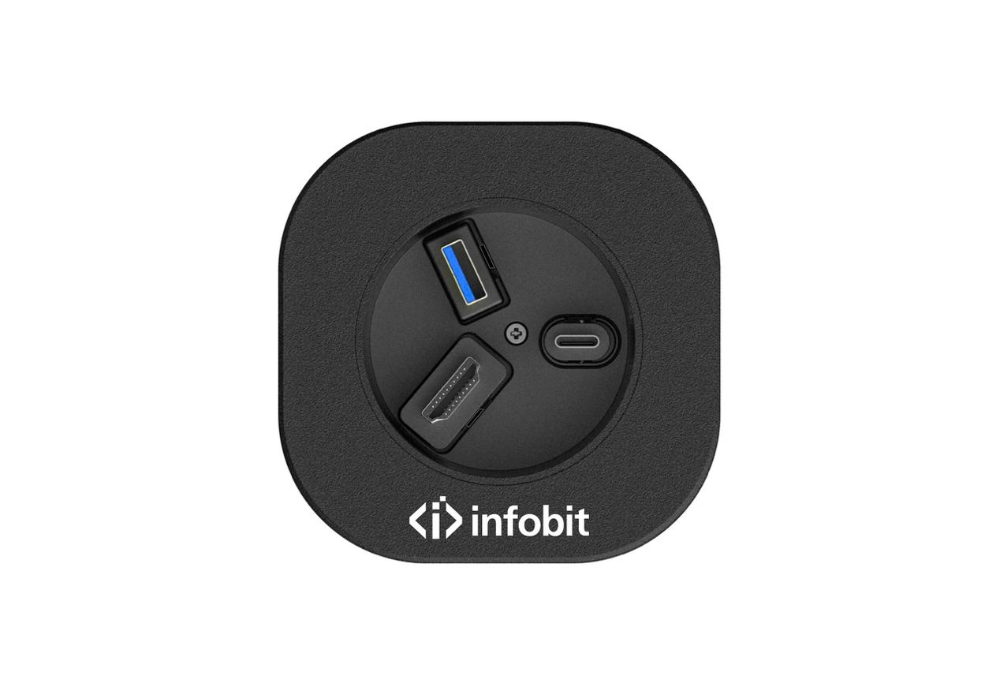
Para lidar com isso, adicionar uma solução retractável HDMI às mesas ou equipamentos funciona melhor para planejadores AV. Um cabo HDMI retractável permanece pronto para uso quando retirado. Ela fica bem longe quando está inactiva. Isto evita cabos empurrados atrás das raças e mantém o sinal forte necessário para uma saída clara da parede de vídeo 4K.
Benefícios de Usar uma Solução Retractável HDMI
Trazer um cabo HDMI retractável para sua configuração AV traz vantagens práticas e visuais:
- Redução do estresse mecânico: O sistema de primavera incorporado mantém o cabo de tirar e dobrar repetidamente os fios regulares. Isso aumenta a durabilidade dos portos retractáveis HDMI ao longo do tempo.
- Optimização do Espaço: Em áreas de controle estreitas onde o espaço de escritório conta, um cabo HDMI retractável corta a necessidade de grandes portadores de cabo.
- Estética Profissional: Oferece uma configuração limpa e escondida para conexões de convidados. Os apresentadores podem ligar seus laptops ao controlador da parede HDMI facilmente. Eles evitam caçar por plugs ou lidar com nódulos.
- Camião Consistente do Sinal:Unidades de qualidade retractáveis têm velocidades de 18Gbps. HDMI 2,0 4K AOC armadoo comprimento de 100 m pode ser integrado para assegurar o máximo desempenho. Eles lidam com alimentações HDR e 4K60Hz sem os erros observados em extensores de baixo custo.
Escolhar o hardware certo para integração sem problemas
Planear uma parede de vídeo significa pensar sobre o tamanho do seu projeto e a s exigências do espaço. Para um simples 2× Display de 2 lojas, um pequeno controlador da parede HDMI de saída fixa frequentemente faz o trabalho. Para tarefas vitais que funcionam sem parar, um design modular flexível destaca-se. A partir de nosso trabalho em locais no Pacífico Ásia e na Europa, enquanto centros de controle são construídos, trocar módulos de entrada sem fechar prova-se inestimável para operação constante.
Pensem nesses detalhes quando escolhem peças:
- Número de entrada/saída: Plane para 20% de portos adicionais no controlador de parede HDMI para lidar com o crescimento.
- Gestão do áudio: Certifique-se de que o controlador tira áudio para altofalantes externos usando ligações de 3,5 mm ou Phoenix.
- Reach Cable: Para mesas de encontros, escolha um cabo HDMI retractável com comprimento suficiente, geralmente de 1 metro a 1,5 metros, para que os usuários possam conectar sem tensão.
Aplicação e Experiência do Mundo Real
Recentemente criamos um sistema para uma sala de apresentação da empresa. A tarefa era misturar um 3× 3 paredes LED com simples controles para líderes visitantes. Usamos um controlador principal de parede HDMI executado de uma interface web de comprimidos. Para tornar o compartilhamento simples, adicionamos múltiplos módulos retractáveis HDMI na mesa. Os usuários tiram o cabo HDMI retractável, ligam seu equipamento e vêem o conteúdo se expandir através dos nove painéis imediatamente. Isso reduz os pedidos de ajuda tecnológica. Também criou um espaço mais limpo e impressionante para discussões importantes.
Conclusão
Aparar um forte controlador de parede HDMI com manejo inteligente de cabo, como um cabo HDMI retractável, transforma um arranjo básico em um sistema AV pro-nível. Gravando como o controlador divide e compartilha sinais importa muito. Proteger esses sinais com ligações retractáveis de HDMI confiáveis assegura configurações que impressionam e aguentam bem. À medida que a informação de visualização cresce mais detalhada, colocando recursos no processor central e no quadro de conexão para suas telas garante que as mensagens passam por claro e claro.
Para mais informação sobre gerenciamento de exibição profissional e soluções de conectividade, contacte os peritos da INFOBIT AV.
FAQ
Q: Qual é a distância máxima que um cabo HDMI retractável pode estender?
A: Unidades de cabo HDMI retractáveis de qualidade, como aquelas em caixas montadas em mesa para reuniões, geralmente estendem 1 metro a 1,5 metros, ou 3 a 5 metros. Designers escolhem esta gama para equilibrar a for ça da primavera para uma retração fácil. Também evita perda de sinais que acontece com cabos demasiado longos ou finos em projetos retractáveis.
Q: Um controlador de parede HDMI pode suportar resolução 4K em cada tela?
A: Sim, se o controlador da parede de vídeo HDMI maneja taxas de dados 4K60Hz ou melhores. Essas unidades tomam a entrada de 4K e impulsam fontes de menor qualidade ou mantêm detalhes completos de 4K durante toda a configuração. Sempre usam cabos primários para preservar essa afilidade de início a fim.
Q: Por que eu deveria escolher um controlador de parede HDMI baseado em hardware em vez de uma solução de software?
A: Unidades como aquelas da INFOBIT AV em forma de hardware oferecem melhor estabilidade e arranque mais rápido. Elas evitam qualquer hipótese de falhas de programas. Com chips FPGA dedicados ao trabalho de vídeo, eles gerenciam cargas pesadas de dados muito mais suavemente que computadores ou servidores normais. Isso os torna ideales para usos seguros ou essenciais.
Q: Um chumbo retractável HDMI é compatível com os últimos padrões HDMI 2.0?
A: Opções retractáveis de alta HDMI coincidem ou vão além das regras HDMI 2.0b. Eles fornecem capacidade de 18Gbps para 4K liso a 60 quadros por segundo. O suporte inclui cores completas 4:4:4 e características HDR. Isso mantém paredes de vídeo de alto nível vibrantes e verdadeiras à vida.
Q: Como posso corrigir as "lacunas negras" entre monitores no meu controlador de parede HDMI?
A: Trate isso com compensação de bezel nas opções do controlador. Introduz o tamanho exato das bordas da tela lá. O controlador da parede HDMI muda os píxeles para cobrir essas fronteiras. No final, linhas e formas retas fluem sem quebrar de um painel para o outro, como uma única imagem sem fios.
