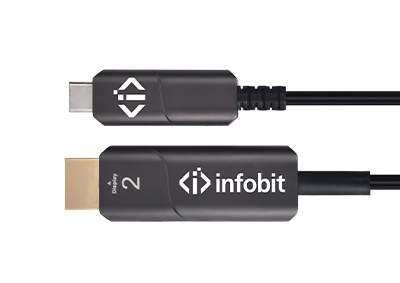





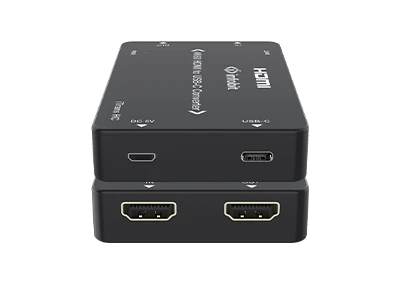
Converter 4K HDMI Input to USB-C Output Support 18Gbps 4K60 HDMI video bandwidth HDMI 2.0b, HDCP 2.2, and DVI 1.0 compliant Video resolution up to 4K@60Hz 4:4:4 USB-C Output supports DP1.2 Alt-mode Up to 7.1CH audio pass-through, supporting PCM, Dolby TrueHD, DTS-HD Master Audio Compact in design, plug and play
How to convert 4K HDMI to USB C?


29
Jan
1. Why convert HDMI to USB-C?
A converter from HDMI to USB-C can bridge older devices to newer displays, offering benefits like power delivery, data transfer, and versatile single-cable setups that have driven the adoption of USB-C ports on modern whiteboards and displays.
2. Benefits of HDMI to USB-C Converters
The primary benefit of an HDMI-to-USB-C converter is to bridge the gap between devices that use different connection standards, allowing users to connect HDMI-only source devices (such as older laptops, gaming consoles, or Blu-ray players) to modern displays or whiteboards equipped with USB-C inputs.
- Expanded Compatibility: The converter ensures that legacy devices are not obsolete, enabling them to connect to newer display technologies.
- High-Resolution Support: Many quality adapters support high resolutions, including 4K, ensuring excellent video quality is maintained during the conversion process.
- Portability and Simplicity: These adapters are typically compact and plug-and-play, making them easy to carry for presentations or travel, eliminating complex setups or driver installations.
3. Is there any way to convert 4K HDMI to USB-C?
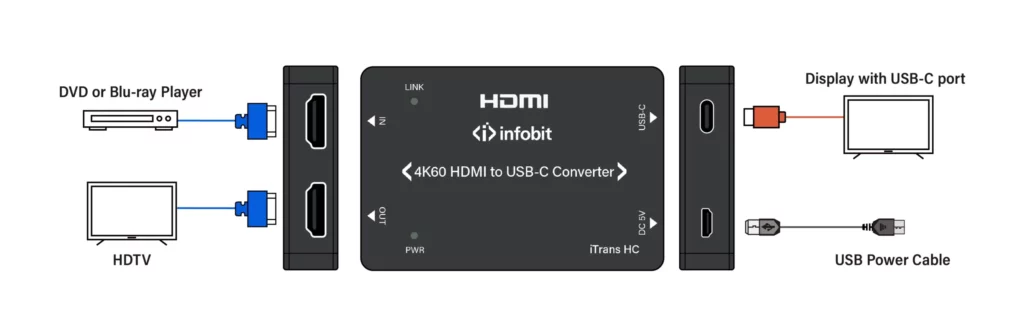
Yes, the インフォビット iTrans HC (4K HDMI to USB-C Converter) is available, which can convert an HDMI 4K signal from a source device to a USB-C output for connecting to a USB-C display, with support for up to 4K@60Hz resolution.
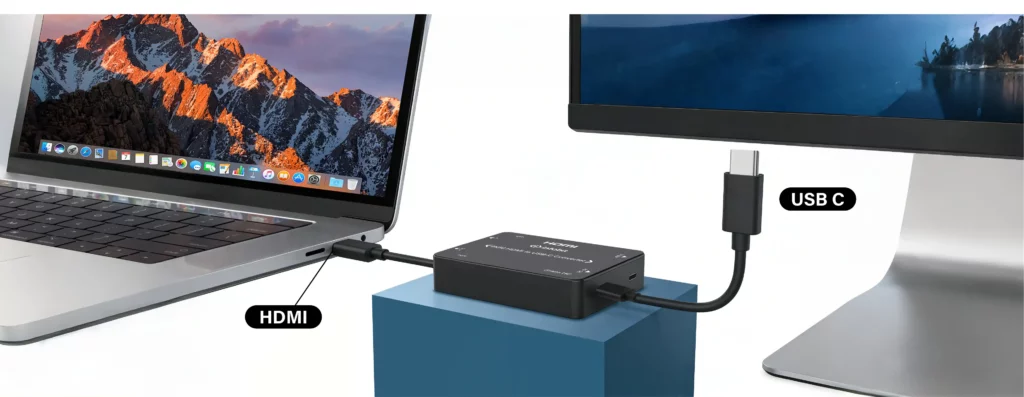
「 The iTrans HC is unidirectional, meaning it only works from an HDMI source (laptop, PC, game console, etc.) to a USB-C display (monitor, AR glasses, portable monitor), and do not work in reverse.
4. Important Considerations
- Unidirectional Signal Flow: The iTrans HC converter is specifically designed to go from an HDMI source (output) to a USB-C display (input). They will not work for connecting a USB-C laptop to an HDMI monitor.
- DP Alt Mode: The USB-C monitor or display you are connecting to must support DisplayPort Alternate Mode (DP Alt Mode)to receive a video signal over its USB-C port.
- External Power: The iTrans HC requires external power via a micro-USB connection to function correctly and deliver a stable 4K signal, especially for portable monitors.
- Resolution and Refresh Rate: Ensure both the source device’s graphics card and the target display support 4K@60Hz for optimal performance.
5. iTrans HC introduction
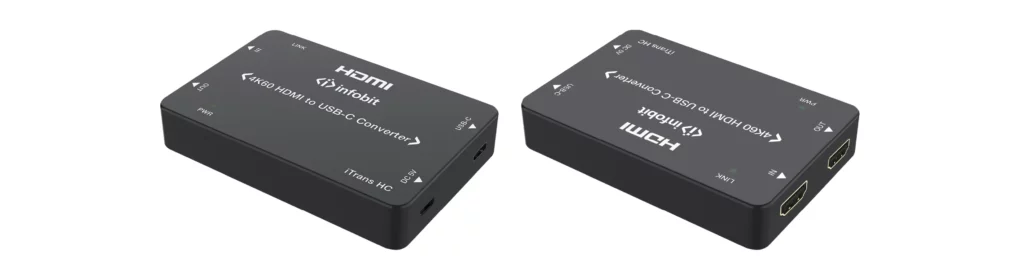
「 The インフォビット iTrans HC is a dedicated 4K 60Hz HDMI to USB-C converter that allows you to connect a traditional HDMI source device to a modern display or whiteboard with a USB-C input.
5.1 Key Features and Specifications
「 The iTrans HC offers a range of features for professional audiovisual applications:
- ビデオ解像度: Supports HDMI input resolutions up to 4K@60Hz 4:4:4 and provides a corresponding USB-C output signal, also at up to 4K@60Hz.
- オーディオサポート: Provides up to 7.1 channels of HD audio pass-through, including support for PCM, Dolby TrueHD, and DTS-HD Master Audio formats.
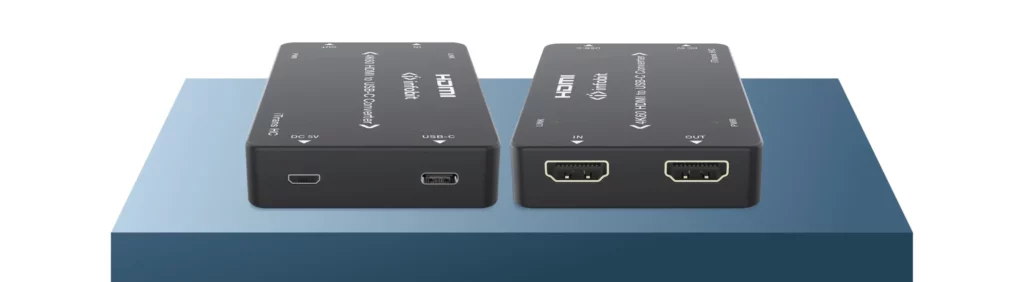
- HDMI Loop Output: Includes an additional HDMI loop-out port, which allows you to connect a second, local HDMI display, monitor, or capture device simultaneously.
- HDCP コンプライアンス: It is compliant with HDCP 2.2, ensuring compatibility with most protected content sources like Blu-ray players or streaming devices.
- 電源: The device is powered by a standard 5V/1A USB power supply (max consumption of 3.2W).
- Design: It features a compact, black plastic enclosure, making it easy to integrate into various setups.
5.2 How it Addresses Your Needs
The iTrans HC is a suitable product for your needs because it is specifically designed to perform the exact function you requested: converting an HDMI 4K signal to a USB-C output.
- Converts HDMI 4K to USB-C*: The device takes an HDMI 2.0b input and converts it to a USB-C output (supporting DP 1.2 Alt-mode), maintaining the 4K@60Hz resolution.
- Bridges Old to New Technology: It solves the compatibility issue between older devices with HDMI output and newer displays or whiteboards that primarily use USB-C inputs.
- Maintains Quality: It ensures the high quality of the 4K signal is preserved, supporting advanced color space and depth specifications.
Note: USB-C* only supports Audio and Video, does not support PD.
5.3 DIAGRAM