







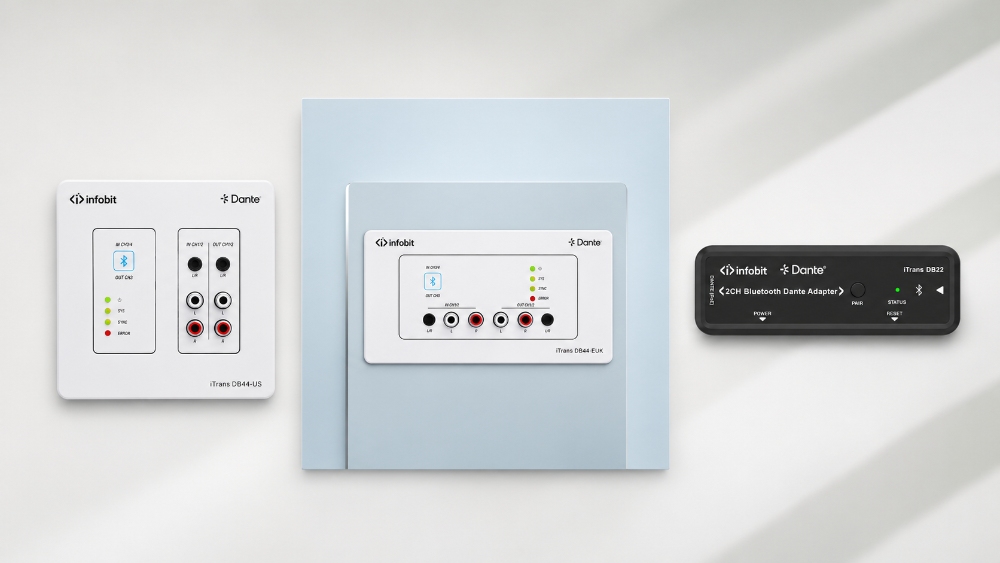
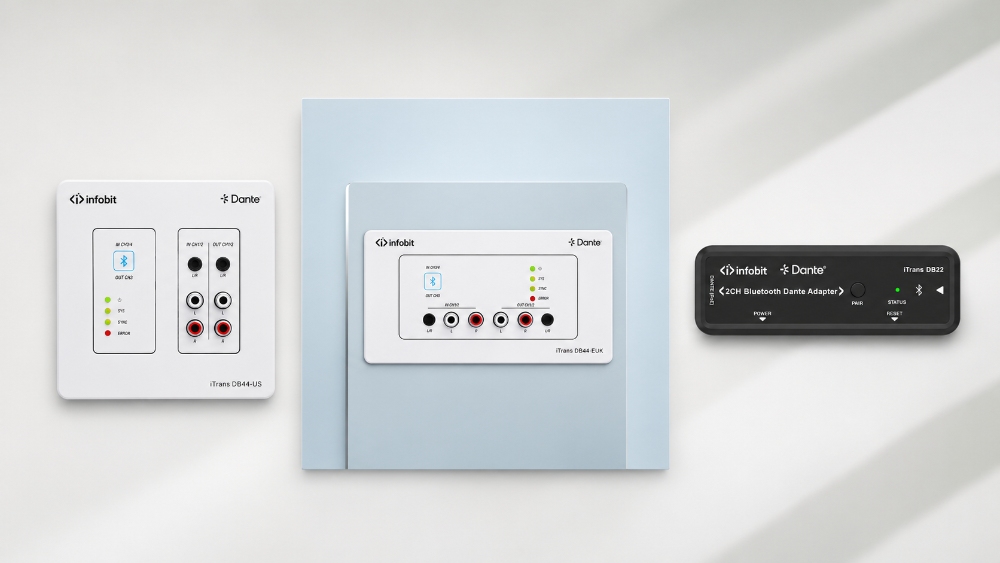
If you want a presenter to drive their smartphone’s audio via a Dante-linked room, you’ll need to bridge the gap between the Bluetooth link and the Dante system. The Bluetooth link will get the user’s device ‘connected’, but you’ll still have to add a suitable unit to accept the Bluetooth signal and convert it to Dante.
Pairing and Network Destination
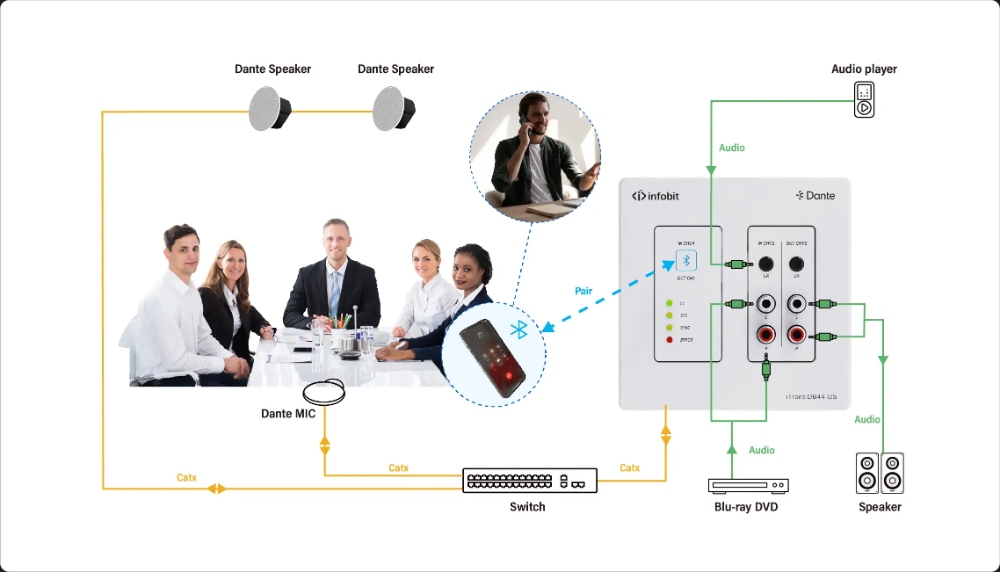
There are two links to consider here. The user’s smartphone or other device must establish a Bluetooth pairing with the relevant input unit. Then, once converted to Dante, the input unit will make these signals available on the network for routing to the desired output(s). Simply establishing a Bluetooth pairing will therefore not determine which (if any) Dante outputs receive the audio, nor allow adjustment of volume.
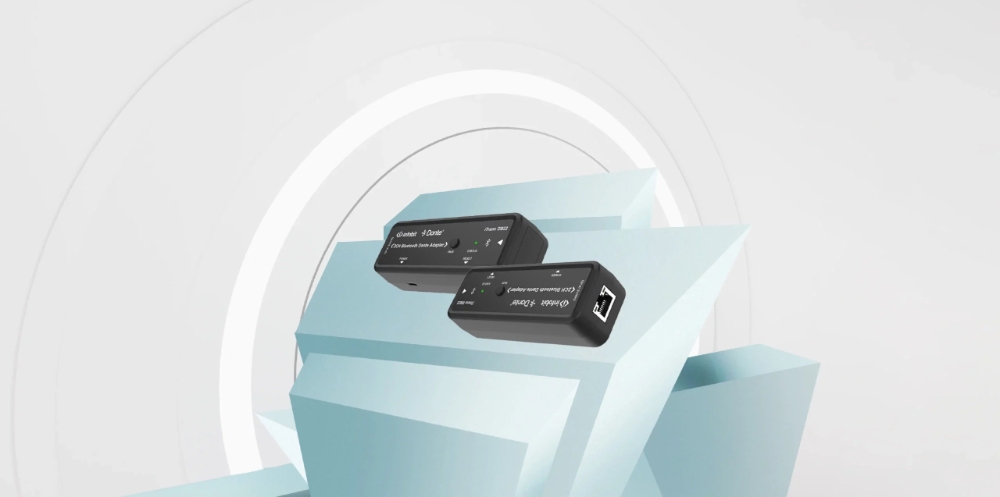
দ্য আইট্রান্স ডিবি২২ accepts Bluetooth on two separate inputs and converts them to two Dante signals. The unit is Bluetooth 5.1 compliant and can be locally powered via USB-C or fed with PoE. Dante delay can also be configured. INFOBIT AV state that the associated Dante stream is sampled at 48kHz 24-bit. Note that the Bluetooth sample rates will vary depending on the device and app used.
Using a Mobile Unit
This type of unit can be positioned close to the likely point of Bluetooth pairing, with the network input run to an appropriate location in the venue. Of course, the achievable Bluetooth distance will be influenced by a variety of factors. It’s important to ensure adequate signal strength at the point(s) of interest within the room.
Using a Fixed Wall Plate
Alternatively, a permanent solution can be provided, fixing the Bluetooth pairing point. INFOBIT AV offer the আইট্রান্স ডিবি৪৪-যুক্তরাষ্ট্র এবং DB44-EUK to suit US and EU/UK 2-gang wall plates respectively. Please verify the requirements for your application.
Both units allow a single button press to initiate a Bluetooth pairing, and feature an illuminated display. Clearly, the display should be viewable by the user and the Bluetooth device able to reach the unit easily. This can avoid the risk of users stowing their phone in a remote location such as the AV cabinet.
Establishing the Dante Route and Volume
Once the Bluetooth signal has been received, the appropriate Dante receiver(s) will need to be subscribed to the incoming signals. Following your standard process, you will need to establish the L/R mapping and terminate the respective signals to your mixers, amps etc. Try to ensure that the nomenclature of each Dante device and channel is sufficiently descriptive to facilitate identification by subsequent users.
Similarly, some consideration must be given to how the level will be managed throughout the chain. You may wish to define an ‘owner’ of the various gain elements, including the smartphone, Bluetooth input, DSP and power amp(s). Once a suitable level has been established, communicate the degree of user control that is anticipated. Of course, increasing the gains of each element to compensate for low smartphone output is not a viable option!
Room Sharing Considerations
In a room shared by multiple parties, it will be necessary to define the process for initiating a Bluetooth pairing, terminating an existing session and allowing a new party to connect. Additionally, users may require guidance on locating the Bluetooth input if it does not appear in the list of available names. The ability to alter the Bluetooth ID on each DB22 unit may aid the identification of multiple inputs.
It will also be useful to document the room procedure and make it readily available. Displaying the Bluetooth unit’s name may assist the user in identifying the correct input, and having a known method of disconnection will prevent issues with concurrent sessions. Note that the exact process will depend upon the characteristics of the Bluetooth unit(s) and the device(s) being paired.
Commissioning the System
When commissioning the room, perform the following sequence using a smartphone and the target loudspeaker(s):
|
Stage |
Check |
|---|---|
|
ওয়্যারলেস |
Pair at the point of use |
|
নেটওয়ার্ক |
Subscribe and route L and R |
|
অডিও |
Set and verify output |
|
Handover |
Dismount and remount a different device |
Ensure you can pair successfully at the point(s) of use and identify the target Bluetooth input.
Route the two Bluetooth channels to your chosen Dante receiver.
Play a range of content at realistic volumes and check the L/R split.
Finally, complete the handover and re-test the procedure with a further source.
As mentioned above, there will be no guaranteed Bluetooth-to-Dante latency across all smartphones and applications. If the audio needs to track precisely with e.g. a camera feed or mic, you will need to verify the end-to-end timing and consider alternative sources as required.
Differentiating Use Cases
Depending on the scenario, the Bluetooth input may be brought into the room temporarily, or be a dedicated station (e.g. a tablet in the foyer). While both situations benefit from the Bluetooth-to-Dante conversion, there are implications for the operation of the input. Establish the permissions around who can pair, whether the device should stay in the room and who will operate the media player.
Providing a permanent wall-mounted unit will alert infrequent visitors to the presence and function of the input. If the unit can be located in an existing equipment position, this may also be preferable. Whichever is selected, the Bluetooth unit name, network termination and power supply should be identified prior to commissioning. Most importantly, the input should be sited to allow the typical device to pair effectively and enable the user to perform the room’s defined action(s).
Correspondingly, the network path must be recorded. As an example, the Bluetooth signals could be passed to a DSP and distributed to the relevant amp(s). You should note the relevant Dante channel(s) and any intermediate processing. This will help to avoid the situation where a new piece of equipment is introduced and the Bluetooth session is orphaned.
Finally, if there are multiple Bluetooth inputs in the room, you will need to decide the protocol for transferring control between them. In particular, can the current device continue to hold a session when finished, and under what conditions can another user establish a Bluetooth connection? The features of the individual INFOBIT AV products will support the user, and the documented room notes should outline the agreed actions.
Fixed vs Mobile
A mobile Bluetooth-to-Dante input unit will be beneficial in many instances, but a fixed wall plate may also be warranted. In any event, you will need to separately address the Bluetooth, Dante and gain considerations described above. INFOBIT AV can supply the necessary product(s) to meet the connectivity requirement.
Contact INFOBIT AV to discuss implementing a Bluetooth input into your Dante system.
সাধারণ প্রশ্ন
Does a Bluetooth-connected device become part of the Dante network?
Only in the sense that the input unit will transmit its received signal(s) to the network.
Do I just need to pair to the input unit?
No, you must also ensure that the relevant Dante signals are terminated and adjusted.
Can I supply the DB22 with PoE?
Yes, in addition to USB-C. Ensure you have a suitable PoE source.
What wall plate should I specify for the USA market?
You would use the DB44-US. Please check the relevant specifications for your region.
Can I expect the same Bluetooth latency for all sources?
Not necessarily. As noted above, the complete path will be dependent on the smartphone, Bluetooth mode and software. Verify this for your intended purpose.
