







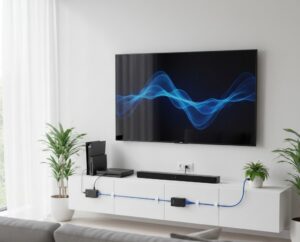
In the changing world of pro audio-visual setups, the shortcomings of old hardware often slow down fresh ideas. If you plan a fancy company meeting room, a wide digital signage system, or a smart home cinema, the problem stays the same. You need to send clear high-definition signals across lengths that beat what a basic HDMI cable can handle. This is when HDMI over ethernet extenders change the usual way things work.
Understanding: How HDMI via Ethernet Cable Actually Works?
At the heart, sending HDMI via Ethernet cable means changing the signal and then rebuilding it. A regular HDMI cable has several copper wires built for close-range, high-speed data flow. But when the distance grows, pushback and noise cause the signal to weaken. This leads to spots on the screen, dark displays, or a full drop in the link.
An Ethernet extender setup fixes this issue. It relies on two main parts.
- The Transmitter (TX): This piece grabs the plain HDMI signal from your device, like a computer or video player. Then, it turns that signal into a form that fits twisted-pair copper lines, such as Category cable.
- The Receiver (RX): Placed near the screen, this part turns the data back into a sharp HDMI signal for your TV or projector.
These tools make use of common network setups. As a result, they bring more options and steadiness than old direct HDMI lines.
Why: 5 Compelling Reasons to Choose HDMI Extenders Over Long HDMI Cables
Picking the best way to send signals matters for how long your project lasts. Pro installers often pick extenders for these key points.
-
- Overcoming Distance Barriers:Standard HDMI cables usually stop working after 10–15 meters. Extenders, however, can carry 4K signals to 100 meters. They handle 1080p signals over even longer runs.
- Cost-Effectiveness:Strong long HDMI cables cost a lot and break easily. CAT6 or CAT7 cables run much less per length. Plus, pulling them through narrow pipes or walls proves simpler.
- PoC (Power over Cable) Convenience: A number of pro extenders offer PoC. With this, just one power plug runs both the TX and RX parts. That makes setup easier in spots with few outlets.
- Signal Integrity and Control:These setups do more than video. They often send IR (Infrared) signals for remote handling and RS-232 for auto system control. All of this travels over one cable.
- Future-Proofing:An HDMI cable locks you into its version. But an Ethernet setup lets you update the extender parts later. You avoid rewiring the whole building.
What: Different Types of HDMI Extender Technologies
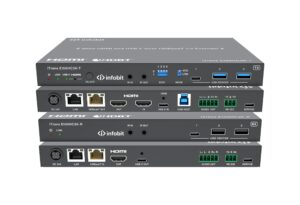
Choosing the correct item hinges on your needed clarity and reach. As a leading HDMI extenders supplier, INFOBIT AV offers several tech types for various needs.
class=”tab_001″ border=”1″
|
Technology Type |
Best For |
Key Features |
|
HDBaseT |
Professional, uncompressed 4K |
Supports up to 150m for 1080P/120m for 4K; 18Gbps lossless compression. |
|
IP上のAV |
Scalable matrices & Video walls |
JPEG 2000 or H.264/265 protocols; works over standard 1G network switches. |
|
Wall-plate Extenders |
Clean architectural finish |
US, EU or UK Gang versions; supports HDMI and USB-C inputs with auto-switching. |
|
KVM Extenders |
Remote PC management |
Allows control of a keyboard and mouse over the same CAT cable as the video. |
Product Detail: The HDBaseT Advantage
In key work settings, HDBaseT holds as the top choice. Take the iMatrix H44H150 system, for example. It uses HDBaseT to send 4K2K@60Hz (4:4:4) signals over 120 meters. This comes with useful extras like:
- HDR Support:It works with HDR10, HDR10+, and Dolby Vision.
- Audio De-embedding:Coaxial spots let you pull out sound for outside audio gear.
- Smart EDID Management:This makes sure the source and screen talk well. In turn, you get the top resolution possible.
How to Select the Right HDMI Extender Supplier?
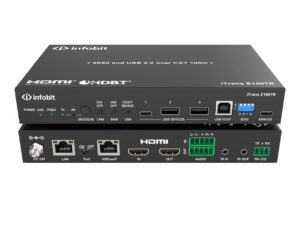
When getting gear for a big job, the tools form just part of the picture. The strength of your hdmi extenders supplier shapes how well the setup goes.
- Global Reach and Support: A strong supplier gives local sales and tech help. INFOBIT AV has spots in Europe, North America, and Asia-Pacific. This means installers get skilled aid no matter where the work happens.
- Manufacturing Quality:Seek ISO-approved plants that manage all steps of making. That includes SMT, PCBA firmware loading, and tough end checks.
- Innovation and R&D:The ProAV field shifts quickly. Suppliers with deep R&D work stay ahead. They offer new items like 8K handling and 18Gbps clear bandwidth.
- Versatility: A solid supplier does more than sell extenders. The company builds a full system. This includes flexible matrix switchers and video wall guides that fit right with your wires.
Real-World Application: Educational Facilities
In a fresh case for a college lecture room, the task was to link a desk laptop to a projector 60 meters off. The site used a wall-plate extender such as the iTrans WP70-T. This gave a neat, pro front for teachers. It also kept a steady 4K signal going over one CAT6 cable. That choice skipped the high price of special long optical HDMI paths.
Conclusion
Switching to HDMI over Ethernet extenders offers the best path to beat reach limits in your ProAV system. Pick quality parts and a steady partner. Then, your video stays clear. Setups stay tidy. The whole thing prepares for what future tech brings.
For details on new sending and team tech, check the INFOBIT AV site. Or reach our worldwide sellers to find the right fix for your coming work.
FAQ
Q: Can I use any Ethernet cable for my HDMI extender?
A: Most extenders pair with CAT5e. But for 4K material, stick to CAT6 or better like CAT6a or CAT7. These give the needed speed and block out noise.
Q: Does HDMI over Ethernet cause any lag or latency?
A: HDBaseT extenders show almost no delay. This suits live talks or games well. AV over IP types might add a bit of wait, a few milliseconds. That depends on the squeeze method, such as JPEG 2000 or H.264.
Q: Can I run my HDMI extender through a home network router?
A: Basic direct extenders cannot do that. Yet AV over IP versions fit with 1G Ethernet switches on purpose. These let you build complex signal setups over your current network lines.
Q: What is PoC in HDMI extenders?
A: PoC means Power over Cable. The transmitter sends power to the receiver, or the other way, via the Ethernet line. So, one outlet runs the full set.
Q: Does it support 4K and HDR?
A: Yes, current pro extenders handle 4K@60Hz with 4:4:4 color detail. They also back high range formats like HDR10 and Dolby Vision.
