







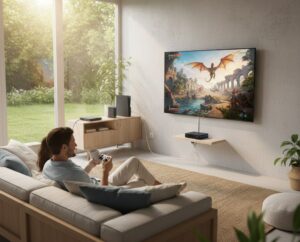
In today’s world of sharp entertainment, the call for clear pictures and quick reactions has grown stronger than ever. If you play games to gain an advantage or set up a great home movie area, basic HDMI cables often create annoying limits. Here, an HDMI extender 4k turns into a vital part of your sound and video system.
Understanding the Basics: What is a 4K HDMI Extender?
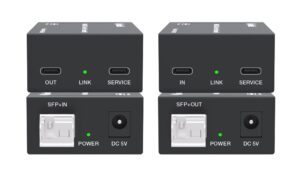
An HDMI extender mainly works to overcome the length issues of usual HDMI cables. A good standard HDMI cable starts to drop signal quality after 25 to 50 feet. On the other hand, an HDMI extender 4k employs other ways to carry signals. Most often, this involves CAT6/6a/7 ethernet cables or fiber optics. These send full video and sound signals across far greater lengths.
How It Works?
The setup includes two main parts.
- The Transmitter (TX):This links to your source device (PC, Gaming Console, or Media Player).
- The Receiver (RX): This connects to your screen (TV, Projector, or Monitor).
These units change the HDMI signal into a form fit for long runs. Then, they change it back at the endpoint. As a result, the 4K resolution, HDR details, and surround sound stay whole. You avoid the flickers or dark spots that come with long basic cables.
Why You Need a 4K HDMI Extender for Your Setup
Eliminating Latency in Competitive Gaming
Gamers know that tiny time delays count a lot. Usual long cables can pick up electrical noise (EMI). This causes signal breaks. A solid extender from a trusted HDMI extenders manufacturer applies methods like HDBaseT or custom chips. Such features deliver “Zero Latency” sending. Your controller moves show up on the screen right away. This creates a smooth flow for quick games.
Centralized Media Management
Many homeowners like a neat, simple look. Rather than keeping a large PC or several consoles near the living room TV, you can store all gear in one cool media room. The HDMI extender 4k fills the space between. It lets you manage and watch content from any spot in the home. Best of all, no wires stay in sight.
Boosting Your Streaming with Chromecast
In a Chromecast の HDMI extender arrangement, you may notice issues. Plugging the device straight into a wall TV can weaken Wi-Fi or cause heat buildup. With an extender, you position the Chromecast where the wireless signal works best. At the same time, it sends the 4K video to the screen through a steady wired link.
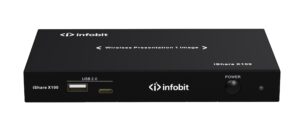
Key Features and Product Specifications
When picking an extender, you must grasp the details that set apart basic items from pro ones. Here is a list of typical traits in the top 4K extension products.
|
Feature |
説明 |
Benefit |
|
Resolution Support |
4K@60Hz 4:4:4, HDR10, Dolby Vision |
Ensures full color depth and cinematic contrast. |
|
Transmission Tech |
HDBaseT, IP (PoE), or Fiber Optics |
Provides options based on distance (up to 10km). |
|
HDCP コンプライアンス |
HDCP 2.2 / 2.3 |
Guarantees compatibility with Netflix, Disney+, and UHD Disks. |
|
オーディオフォーマット |
Dolby Atmos, DTS:X, LPCM 7.1 |
Delivers immersive, uncompressed spatial audio. |
|
Control Signals |
Bi-directional IR, RS232, and CEC |
Allows you to use your remote from the display end. |
|
ケーブル上の電源 |
PoC / PoE (Power over Ethernet) |
Only one end needs a power adapter, simplifying installs. |
Technical Deep Dive: Choosing the Right Transmission Method
Your space will guide the choice among the three main extension ways.
A. HDBaseT Extenders
HDBaseT serves as the field leader. It offers the “5Play” set: video, audio, ethernet, power, and control over one CAT6 cable.
- Distance:Up to 100 meters (328 feet).
- Best For: Residential home theaters and high-end gaming.
B. HDMI over IP
This approach relies on your current network hub to direct signals.
- Scalability:One source can reach many screens (Matrix functionality).
- Best For: Sports bars, large estates, or multi-room streaming.
C. Fiber Optic Extenders
For lengths in kilometers instead of meters, fiber stands alone.
- Immunity:Completely immune to electrical interference (EMI/RFI).
- Best For:Large venues, outdoor theaters, or connecting separate buildings.
Real-World Applications and Success Stories
In pro AV areas, the strength of an HDMI extenders manufacturer shows in tough setups.
For instance, Experts there often deal with sending 4K video from a floor spot at a stage to a roof projector 70 meters off. Using HDBaseT 3.0 tech, such systems hit full 18Gbps speed. This keeps high-speed game footage or fine design talks clear and smooth. Basic copper HDMI cables could not handle that range.
How to Optimize Your 4K Extension for Best Results
To gain the smooth flow noted in the heading, apply these expert hints.
- Use Shielded Cables:Always use shielded (STP) CAT6a or CAT7 cables to prevent interference from power lines inside walls.
- Check HDCP Versions:Ensure both your extender and your display support HDCP 2.2; otherwise, your 4K streaming services might downgrade to 1080p.
- Thermal Management:Professional extenders can get warm. Ensure the TX and RX units have adequate airflow, especially if hidden in cabinets.
- Firmware Updates:Choose a manufacturer that provides regular firmware updates to maintain compatibility with new gaming consoles like the PS5 or Xbox Series X.
Conclusion
Moving to 4K goes beyond extra dots on screen. It focuses on the full feel. Adding a pro-level extension tool clears the space hurdles of your gear. This leads to neater setups, safer device care, and full output.
If you aim to improve your links, INFOBIT AV brings a wide set of pro AV tools. From HDBaseT extenders to wireless team systems, their skills make sure your streaming and gaming times stay truly smooth. No matter the gap from source to screen, it works. Check our product list to pick the right one for your upcoming task.
FAQ
Q: Will an HDMI extender cause input lag while I am gaming?
A: Pick a fine HDBaseT or direct-line extender, and the delay stays almost none (under 1 millisecond). Humans barely notice it. Yet, low-cost “over-IP” units that squeeze the signal might add clear delay.
Q: Can I use an HDMI extender with my Chromecast 4K?
A: Yes. A Chromecast HDMI extender setup often works well. You attach the Chromecast to the Transmitter (TX). Add a short HDMI link if needed. This keeps the Chromecast in a strong Wi-Fi zone. Meanwhile, it carries the 4K signal to a far TV.
Q: What is the difference between a passive and an active HDMI extender?
A: Passive extenders act as simple adapters. They seldom handle 4K over long runs. Active extenders use built-in chips and outside power (PoC) to boost and balance the signal. This proves key for 4K@60Hz.
Q: Do I need a special Ethernet cable for a 4K HDMI extender?
A: While CAT5e might work for short distances at 1080p, for 4K HDR, we strictly recommend CAT6, CAT6a, or CAT7 (solid copper, not CCA) to handle the 18Gbps bandwidth requirement.
Q: Can I run the signal through a standard home Wi-Fi router?
A: Only if the device is specifically an “HDMI over IP” model. Standard HDBaseT extenders use the same RJ45 plug but a different signaling protocol that can damage a standard router. Always check the manual before plugging into a network switch.
