







The field of professional audiovisual (ProAV) technology has seen a major change. It has shifted from old circuit-based switching to adaptable, expandable, and network-focused setups. As the sector settles on Ethernet as the main transport method, the need for targeted technical abilities has grown greatly. For installers, advisors, and technicians, taking part in organized AV over IP training is not just a nice career boost anymore. Instead, it is a basic requirement to stay current in a market powered by data and programs.
This change calls for a wide range of abilities. It combines classic AV expertise, like signal quality and EDID handling, with IT-level networking know-how. This includes VLAN setup and multicast control. By getting good at these main areas, experts can build systems that provide almost endless growth and better results than old hardware.
What are the Fundamental Networking Skills Required for AV over IP?
The core of any IP-based distribution setup is the network switch. Unlike old matrix switchers with a closed backplane, an AV over IP system depends on the work and setup of Layer 2 and Layer 3 switches. Technical staff need to grasp how to handle bandwidth over a shared structure to avoid data backups.
One of the key abilities covered in professional AV over IP training is setting up IGMP (Internet Group Management Protocol) Snooping. If this is missing, multicast video traffic, which is common for most top-quality distribution, would overload every port on a network. As a result, the system would fail. Engineers also need to be skilled at creating Virtual Local Area Networks (VLANs). These help separate heavy video traffic from regular office data or guest Wi-Fi.
Adding modular hardware to these networks remains a vital part. For example, advanced modular matrix switchers, such as those in the INFOBIT AV iMatrix series, serve as the link between physical inputs and the network. These setups handle HDMI 2.0b and HDCP 2.2. They manage 18Gbps bandwidth to keep 4K60 YCbCr 4:4:4 24-bit signals intact. Knowing how these hardware points connect with fiber or HDBaseT cards is crucial for preserving signal clarity.
|
Technical Specification |
Requirement for Professional Distribution |
Implementation Detail |
|
Network Layer |
Layer 2 or Layer 3 Switching |
Managed switches with IGMP support |
|
Bandwidth Capability |
1Gbps, 10Gbps, or 40Gbps |
Depends on compression and resolution |
|
Latency Standard |
Gen-Lock Synchronization |
<0.1ms latency between output channels |
|
Signal Protocol |
HDMI 2.0b / HDCP 2.2 / 2.3 |
Ensuring compliance across all nodes |
Why is Expertise in AV over IP Software Essential for Modern Integrators?
The move to IP has shifted control from physical buttons and special remotes to central management platforms. Skill in AV over IP software lets an installer turn a group of encoders and decoders into a unified, easy-to-use system.
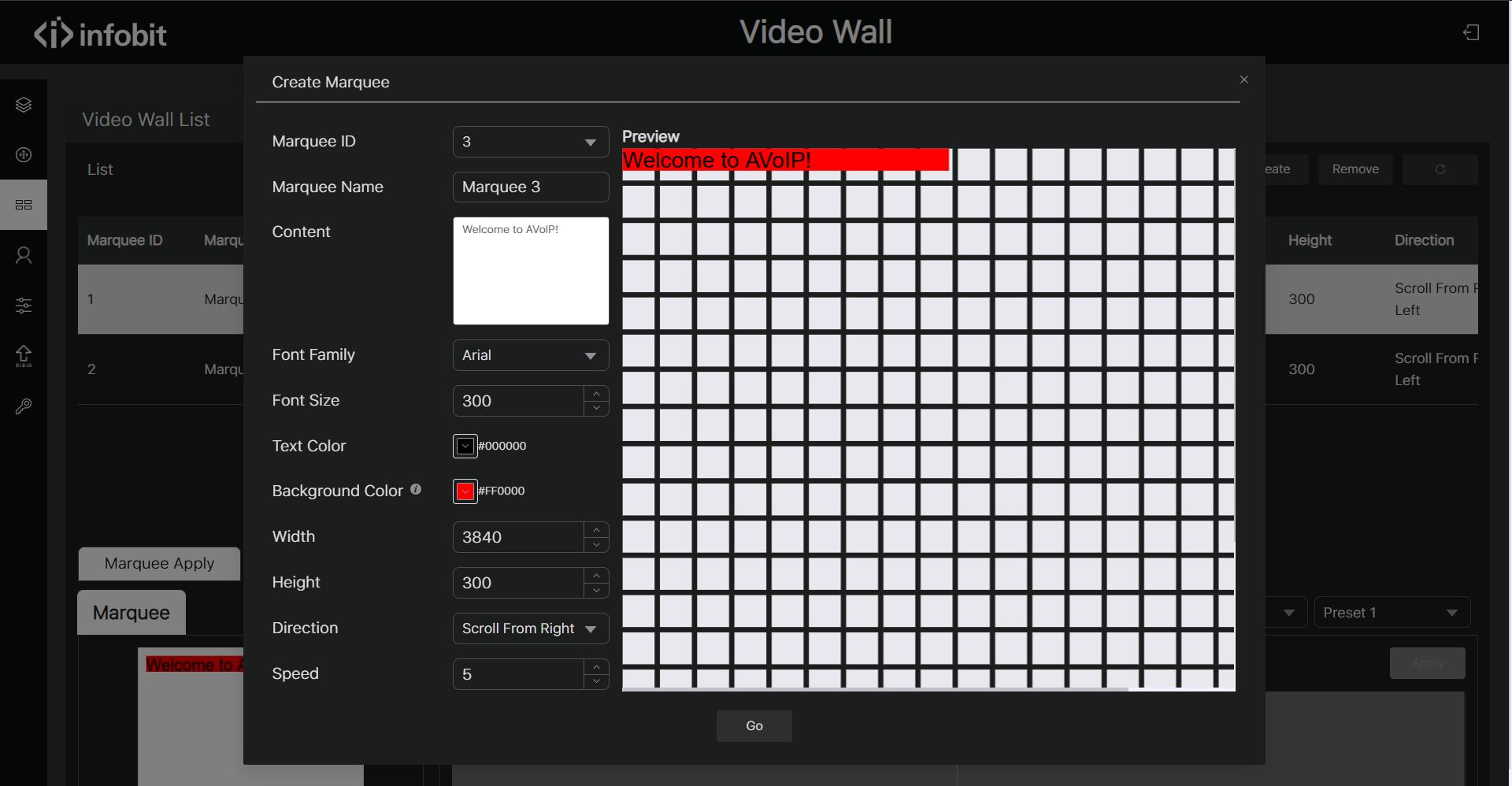
Strong AV over IP software offers a graphical interface for tough tasks that used to need manual connections. For instance, video wall handling demands exact control over windowing, scaling, and signal checking. In work settings like control rooms, the option to check a source on a tablet or PC before sending it to a large video wall is a key need for operations.
Systems like the iWall M4 show the strength of software-based control. This kind of controller allows signal checking and watching right through a Web GUI. It lets users handle up to four layers of video windows per display. With the software interface, installers can set up:
- High-resolution background images for corporate branding.
- Seamless switching that eliminates image tearing or black screens during transitions.
- Drag-and-drop source management for intuitive user operation.
- Scene-presets (often up to 64 unique layouts) that can be recalled instantly.
How to Successfully Deploy Home AV over IP for Residential Projects?
The home market is picking up business-level technology more and more to fit the needs of high-end smart homes. Setting up home AV over IP takes a unique method compared to business projects. It often stresses looks, simple use, and links with home automation systems.
In a home setup, the issue usually involves spreading high-bandwidth content, like 4K or 8K movies and gaming, to different rooms. This uses current CAT6 or CAT6A cabling. Training for home AV over IP stresses balancing bandwidth limits with the goal of no-delay performance.
Installers need to be able at placing special endpoints. For example, wall-plate transmitters, like the iTrans WP series, are common in home settings. They give a neat, non-intrusive input spot for gaming consoles or media players. These units can send 4K60 signals over distances of 40 to 70 meters. Thus, the big hardware can stay out of sight in a main rack, while the user gets a smooth setup.
|
Residential Feature |
Benefit of AV over IP |
Hardware Example |
|
Hidden Hardware |
Centralized rack with remote endpoints |
iTrans WP70C Wallplates |
|
Display Flexibility |
180-degree image rotation for unique mounts |
iWall 104P Controllers |
|
Multi-room Audio |
Audio Return Channel (ARC) support |
iTrans series receivers |
|
Scalability |
Easily add new rooms by adding decoders |
Standard 10G Network Nodes |
What Technical Skills are Needed for Troubleshooting 4K60 and 8K Signals?
As the sector heads toward 8K resolution, the difficulty of signal handling rises quickly. A large part of AV over IP training focuses on checks and fixes using special tools. When a signal does not work, the technician has to figure out if the problem is with the HDMI cable, the HDCP handshake, the network setup, or the EDID settings.
Getting skilled with tools like the iTools G8K is important. This HDMI 2.1 8K signal generator and analyzer lets technicians test video bandwidth up to 40Gbps. It also checks resolutions up to 8K@60Hz. Abilities in this field include:
Analyzing color space (RGB vs. YCbCr 4:4:4/4:2:2/4:2:0) to optimize bandwidth.
- Verifying HDCP 2.3 compliance to ensure high-value content plays correctly.
- Testing HDR (High Dynamic Range) metadata transmission across the network.
- Using internal audio patterns (LPCM 2CH) to verify sound paths without needing a live source.
- Handling these technical factors well makes sure that a system stays steady over time. It can also deal with future updates in display tech.
How Does Wireless Collaboration Training Complement AV over IP Knowledge?
A current meeting area or home office is seldom a “wires only” space. Adding wireless collaboration into the IP setup is a sought-after ability. Technicians must learn how to connect wireless signals from smartphones and laptops to the wired AV over IP network.
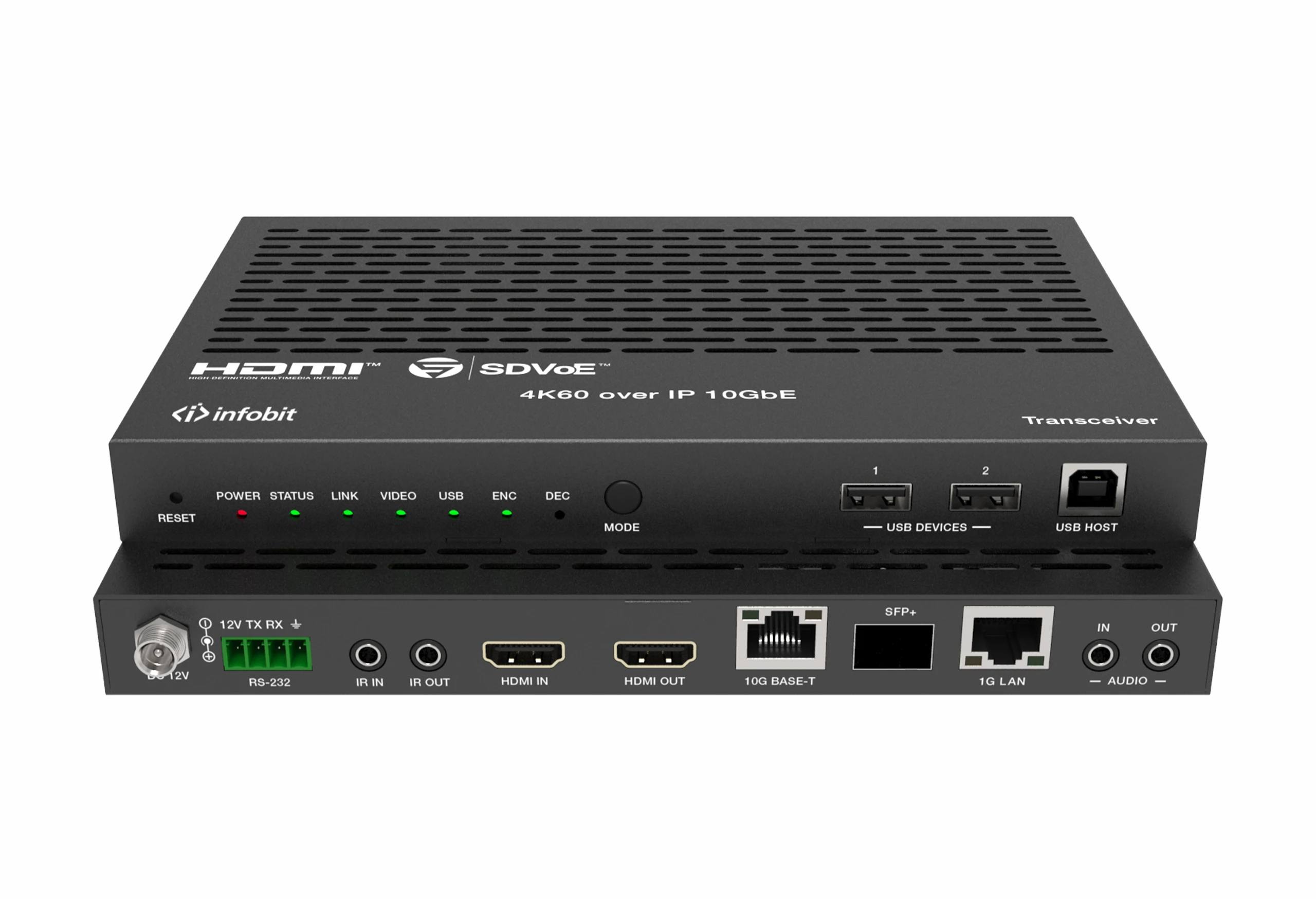
Options like the iShare X cross-platform wireless meeting system play a central role here. They enable BYOD (Bring Your Own Device) features where users can share their screens with one click. The technical ability here involves handling the shift between the 2.4G/5G wireless range and the physical Ethernet network. This ensures that the wireless streams are safe, with low delay, and work well with the main AV over IP software for the rest of the building.
Conclusion
Getting good at the switch to networked video needs a full grasp of both software and hardware. Through thorough AV over IP training, experts gain the skill to handle complex network layouts, set up advanced AV over IP software for simple control, and place high-performing home AV over IP systems. From the accuracy of 8K signal checks with tools like the iTools G8K to the adaptability of modular switchers like the iMatrix M, the current installer is a mix of an AV technician and an IT expert. Taking on these abilities is the sole path to providing the flexible, growing collaboration tools that the modern world requires. To remain ahead in this growth, working with sector leaders like INFOBIT AV gives the tools and new ideas needed to change how people connect.
FAQ
Q: Why is IGMP Snooping necessary for an AV over IP network?
A: IGMP Snooping lets a network switch listen to the talk between hosts and routers. By doing this, it makes sure that multicast video streams go only to the ports that ask for them. If this is absent, the video data would spread to every port, overloading the network and causing issues for other linked devices.
Q: What is the main benefit of using AV over IP software over hardware-only control?
A: Software offers a central, visual management level. It allows for features like real-time signal checking, remote watching, and complex video wall windowing that are hard or not possible to handle through physical buttons or old serial commands. It also makes remote fixes and system updates easier.
Q: Can I run home AV over IP on a standard home Wi-Fi router?
A: No. High-quality video distribution needs a lot of bandwidth and exact timing. It is always best to use a dedicated managed network switch for the AV traffic. Keep it apart from general home Wi-Fi use through VLANs to ensure a smooth, flicker-free experience.
Q: How does 8K distribution affect the requirements for av over ip training?
A: 8K needs four times the bandwidth of 4K, which tests the limits of regular 10G networks. Training for 8K puts a lot of focus on HDMI 2.1 standards, 40Gbps signal checks, and advanced compression methods. These let the huge data streams move over standard setups without losing picture quality.
Q: What role does EDID management play in an IP-based system?
A: EDID (Extended Display Identification Data) lets a source know the abilities of the display it connects to. In an IP system, where one source might go to many different display types at once, getting good at EDID handling in the AV over IP software is key. It ensures every screen gets a signal it can show properly.
