






In a time when visual appeal shapes brand image and work productivity, handling large display setups demands more than just good screens. This applies whether in a vital command center, control room, a company entrance, or a storefront. The main part of the setup is not only the monitor, but the equipment that runs the content. A strong video wall display controller serves as the core of the whole system. It makes sure every pixel lines up, and every signal travels with exact accuracy.
Many installers face issues with the details of current multi-screen arrangements. Problems like image splitting, signal delays, and hard-to-use control panels can weaken a solid installation. To steer clear of these problems, picking a solid video wall display controller is key. It connects source material to multi-screen results effectively.
What defines a high-performance Video Wall Display Controller?
When checking a video wall display controller, start with the system structure. Old PC-based controllers often deal with program failures and error screens. These are not suitable for round-the-clock settings. A full-hardware modular build provides better steadiness and dependability.
Take the INFOBIT AV iWall M4 series modular video wall controller as an example. It follows this hardware-focused approach. Its modular I/O build, usually with 4 ports per card, permits easy growth.
In demanding settings, showing several sources on one screen is crucial. A top controller like the INFOBIT AV iWall M4 supports up to 4 layers (windows) per display. This lets users place maps, data streams, and live video at the same time. Also, live signal checking and watching through a Web GUI or front-panel touch screen gives assurance that the right content shows before going active.
|
Architecture |
Pure-hardware Modular Design |
Eliminates OS crashes and viruses |
|
Input Capacity |
4K60Hz Support |
Handles ultra-high-definition sources |
|
Port Density |
4-ports per card |
Simplifies cabling and maintenance |
|
Windowing |
4 Layers per display |
Enables complex data visualization |
|
Signal Monitoring |
Real-time Preview |
Reduces operational errors |
Why is upgrading to a 4K Video Wall Controller essential for modern control rooms?
As screen tech shifts from 1080p to UHD, the need for a 4k video wall controller has turned into the common choice in the field. Big video walls make signal issues stand out. Low-resolution handling shows up right away to the eye. A focused 4k video wall controller guarantees that 4K60Hz input signals are processed at full 18Gbps bandwidth. It keeps 4:4:4 color sampling and 24-bit depth.
Quality is just part of it. Timing matters as much. Without special tech, multi-monitor setups often have “tearing,” where the image looks broken during quick movement. Top controllers fix this with Gen-Lock tech. This keeps the delay between any output channel under 0.1ms. As a result, it forms a smooth overall surface across many screens.
Meeting the newest safety rules is also a needed feature. A solid 4K video wall controller must handle HDMI 2.0b and HDCP 2.2 or 2.3 processing. This matters a lot for showing guarded content from media players or advanced workstations. It ensures smooth connections without the common black screen from signal blocks.
How does a Multi-Monitor Video Wall Controller manage complex layouts?
A multi-monitor video wall controller stands out for its adaptability. It goes beyond creating a large image. It focuses on how to adjust that image to match specific building or work demands. Current processors support varied layout styles that exceed basic 2×2 or 3×3 patterns.
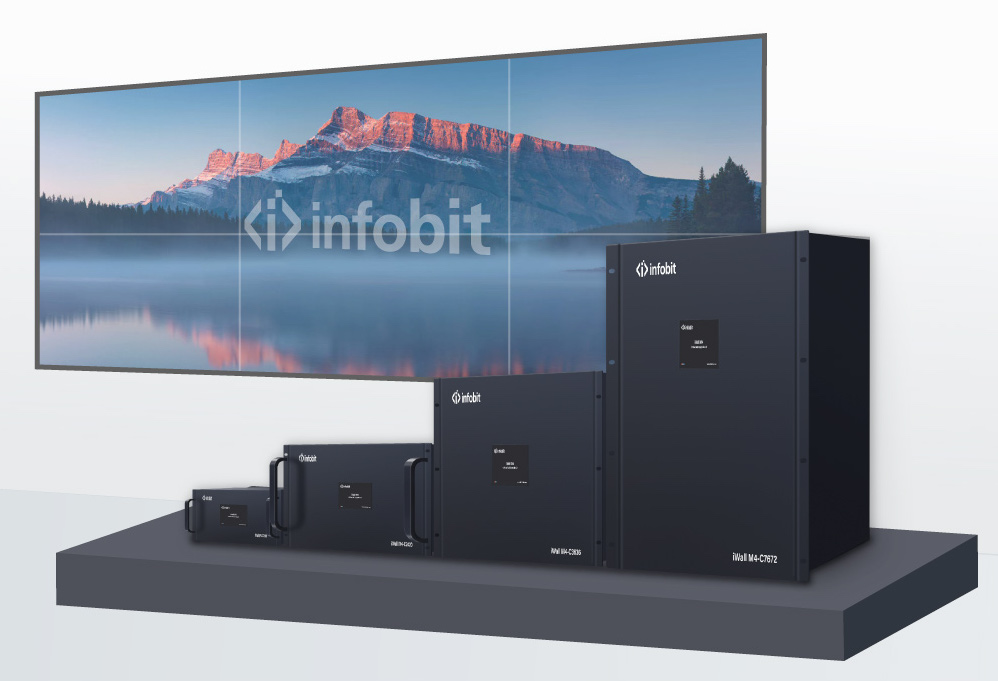
Key options for a multi monitor video wall controller include:
- Layout Grouping: The ability to manage up to four distinct video wall groups from a single processor.
- Seamless Switching: Transitioning between sources without any black screens, flicker, or image tear, which is essential for live presentations.
- Creative Orientation: Support for 180-degree image rotation, allowing displays to be mounted in creative or inverted positions to suit specific room aesthetics.
- Preset Management: Saving and recalling up to 64 unique scene presets, allowing for instant transitions between different operational workflows at the touch of a button.
In a control room case, these options let an operator switch quickly from one overall map view to a grid of sixteen security cameras. This happens without breaking the visual sequence. Such control sets apart a simple splitter from a true professional multi-monitor video wall controller.
What connectivity and control options should you prioritize?
The lasting worth of a video wall display controller comes from its connection methods and simple handling. A modular build is vital for long-term use. If your input types shift from HDMI to HDBaseT or Fiber, you should just change a card instead of the whole processor.
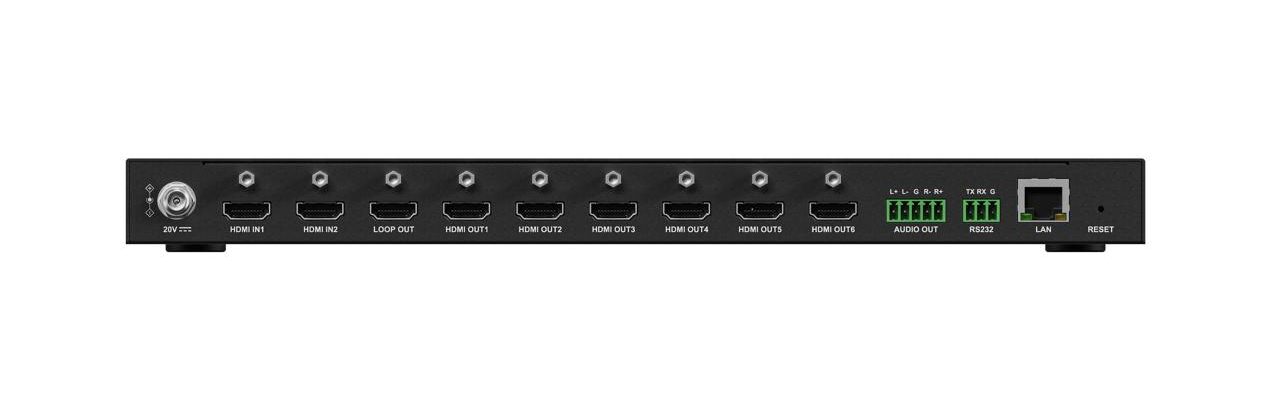
Control methods are another important element. A solid unit should include:
- RS232 for traditional control system integration.
- IP control for network-based management.
- Intuitive Web GUI for browser-based adjustments without needing to install proprietary software.
- Redundant Power Supply Units (PSU) to ensure that a single power failure does not bring down a mission-critical display.
By focusing on these options, groups make sure their video wall stays a trustworthy tool for years. For instance, a video wall display controller that handles varied signals like SDI and Fiber permits clear, long-reach sending from far server areas to the display spot. This avoids signal loss.
Conclusion
Picking the correct video wall display controller means weighing resolution needs, layout adaptability, and the built-in steadiness of the equipment. From the exact detail of a 4k video wall controller to the detailed routing skills of a multi monitor video wall controller, the unit you select will shape the outcome of your visual messaging plan. Planning for the future in your purchase involves seeking modular growth and very low delay tech that can expand with your group’s requirements. INFOBIT AV provides various new video wall options. These turn tough technical needs into smooth, strong visual setups.
FAQ
Q: What is the difference between a video wall processor and a video wall controller?
A: While the terms are often used interchangeably, a video wall display controller typically refers to the hardware or software that manages how content is split and mapped across multiple monitors. A “processor” often implies more advanced features like windowing, overlapping, and real-time scaling of multiple different input sources onto a unified display canvas.
Q: Can a 4k video wall controller support 8K sources?
A: A dedicated 4k video wall controller is optimized for 4K60Hz signals. However, high-end modular systems can often be upgraded with 8K-compatible input cards or use signal generators like the iTools G8K for testing and analyzing 8K environments. For true 8K distribution, it is essential to verify that the backplane bandwidth of the controller can handle the 40Gbps requirement.
Q: Is software or hardware better for a multi monitor video wall controller?
A: For mission-critical environments, a pure-hardware multi monitor video wall controller is preferred because it does not rely on a PC operating system, which can be prone to viruses, crashes, or slow boot times. Hardware-based systems offer “instant-on” performance and dedicated processing for each video channel.
Q: How many windows can I display on a single screen with a video wall display controller?
A: This depends on the specific hardware. Advanced controllers like the iWall M4 support up to 4 layers per display, meaning you can have four different overlapping or tiled video windows on a single physical monitor within your video wall.
Q: What is Gen-Lock, and why do I need it for my video wall?
A: Gen-Lock is a synchronization technology that ensures all output channels are perfectly timed. In a video wall display controller, Gen-Lock keeps the latency between outputs to less than 0.1ms. Without it, you may see “tearing” or slight delays between screens when a fast-moving object travels across the boundary of two monitors.
