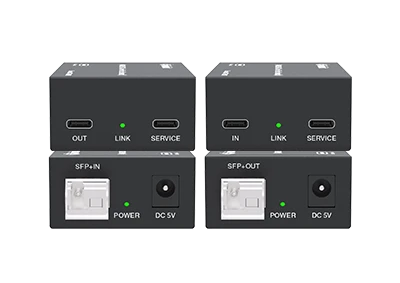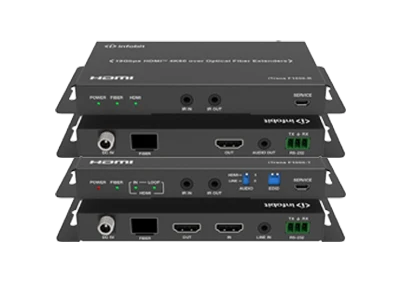





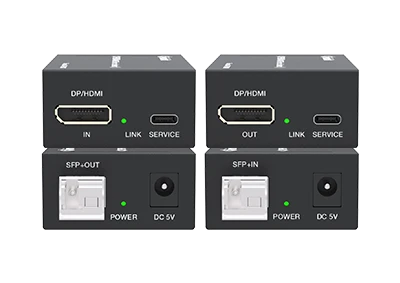
4K60 DP+HDMI over Fiber Extender DisplayPort/HDMI™ combo connector (HDDP) supports both DisplayPort and HDMI™ video interfaces Compliant with HDCP 2.3, DisplayPort 1.4 ALT Mode Video bandwidth 8.1/5.4/2.7/1.62Gbps (DP) and 18Gbps (HDMI™) Video resolution is up to 4K@60 Support any VESA standard resolution transmission Automatic recognition of DP/HDMI™ on input and output ports Four conversions of DP/HDMI™ are supported: DP to DP, DP to HDMI™, HDMI™ to DP, HDMI™ to HDMI™ Transmission distance up to 10km over a single-mode fiber optic…
What is HDDP port and what benefits?


23
Dec
1. WHAT IS HDDP PORT?
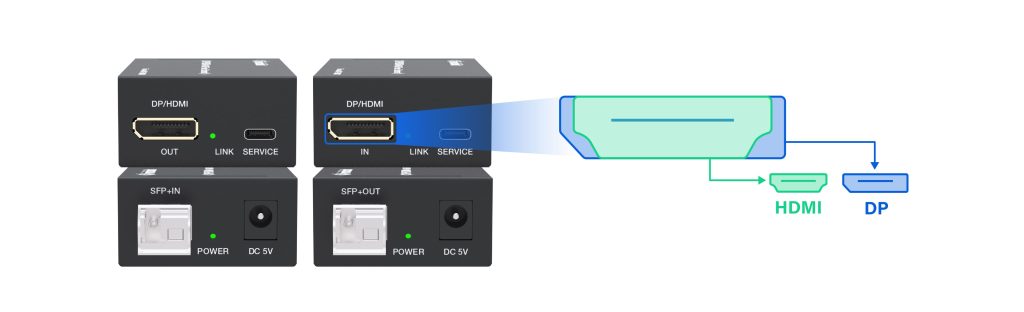
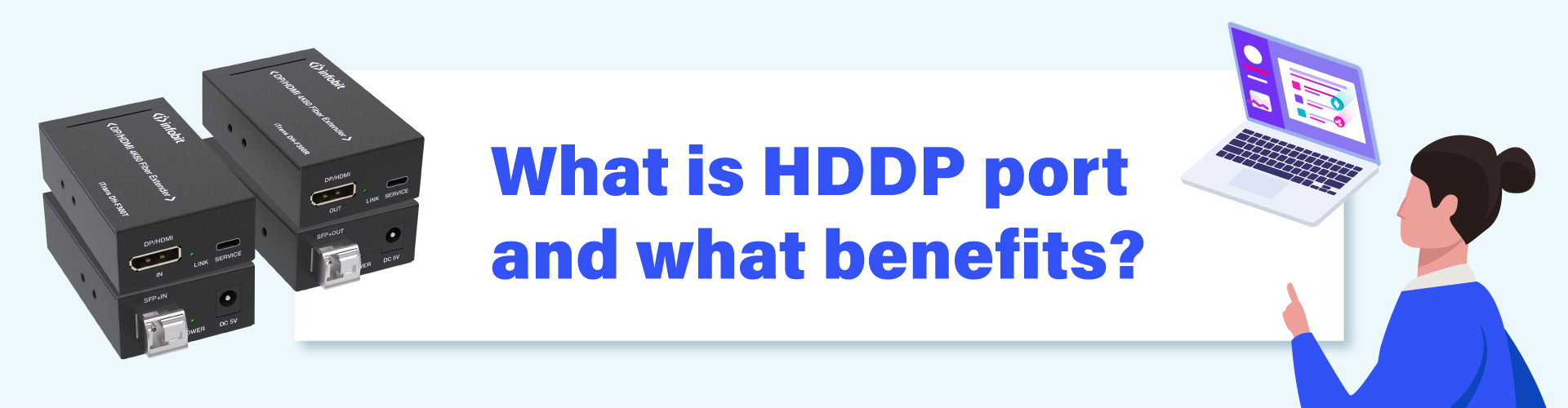
द iTrans DH-F300 adopts INFOBIT newly designed “HDDP” port, that is a hybrid/combo connector designed to accept both a DisplayPort (DP) and an एचडीएमआई connector in the same physical input space. The HDDP port is a slim-designed DP and HDMI 2-in-1 interface that is compatible with both DP and HDMI cables.
This is a specific design feature found in इन्फोबिट professional audio/video equipment, such as KVM switches and extenders, to increase functionality and user convenience by saving physical space on the device’s printed circuit board (PCB).
2. KEY FEATURES OF INFOBIT HDDP PORT
- Flexibility: The main advantage is versatility, allowing users to connect a source device using either a DisplayPort or an HDMI output without needing a different device or a bulky external adapter.
- Functionality: Internally, the device has circuitry to detect which type of signal is being received and processes it accordingly, often converting the signal from one format to the other (e.g., DisplayPort input signal is converted to an HDMI output signal).
- Product Type: These are often featured on signal switchers, matrixes, and extenders that handle multiple video formats and allow for management of different input sources.
- Compatibility: While standard HDMI and DisplayPort cables are not physically interchangeable, products with these hybrid ports offer a seamless “plug-and-play” experience for users with various source devices.
INFOBT HDDP DisplayPort/HDMI hybrid ports are primarily used in professional audio-visual (AV) and information technology (IT) environments where flexibility and multi-format compatibility are crucial.
3. TYPICAL ENVIRONMENTS AND PROJECTS
- Conference Rooms & Boardrooms: Hybrid ports allow different presenters to easily connect various laptops (some with only HDMI, others with DisplayPort or USB-C DisplayPort Alt Mode) to a central system or large display without needing multiple dongles or complex switching equipment.
- Professional Workstations (e.g., Design, Finance, Data Analysis): These ports often appear on KVM (Keyboard, Video, Mouse) extenders or docking stations, allowing professionals to use high-resolution, multi-monitor setups with the flexibility of using whichever port their specific computer or graphics card has available. (INFOBIT HDDP port KVM switchers will come soon)
- Digital Signage and Video Walls: In airports, retail spaces, or public venues, these devices simplify installations by accommodating various source players and distributing the signal over longer distances using fiber optic cabling.
- Home Theater & Gaming Setups (Specific Products): The iTrans DH-F300 uses this design to offer universal connectivity for gaming consoles (HDMI-based) and gaming PCs (DisplayPort-based).
4. BENEFITS
The primary benefit of this hybrid design is versatility and convenience.
- Reduced Equipment: It eliminates the need for separate converters, adapters, or multiple dedicated input devices, saving space and cost.
- Simplified Installation: Users can connect a wide range of devices without worrying about matching the exact physical connector type to the port.
- Future-Proofing: It bridges the gap between the prevalent consumer standard (HDMI) and the high-performance PC/Pro-AV standard (DisplayPort).
5. SIMPLE DIFFERENCES BETWEEN DISPLAYPORT (DP) AND HDMI
|
Feature |
DisplayPort (DP) |
HDMI (High-Definition Multimedia Interface) |
|
Primary Use |
Computers, professional monitors, workstations |
TVs, projectors, gaming consoles, consumer devices |
|
Multi-Monitor Support |
Supports daisy-chaining (MST) from one port |
Typically requires one cable per monitor or a dedicated splitter |
|
Locking Mechanism |
Most connectors have a physical latch |
Connectors generally do not have a latch |
|
Audio Features |
Lacks Audio Return Channel (ARC/eARC) |
Includes ARC/eARC for simplified home theater audio |
|
Cable Length |
Passive cables are effective up to ~3m at full spec |
Passive cables are effective up to ~10m at full spec |
|
Bandwidth (Latest Versions) |
DP 2.1 offers up to 80 Gbps |
HDMI 2.1 offers up to 48 Gbps |
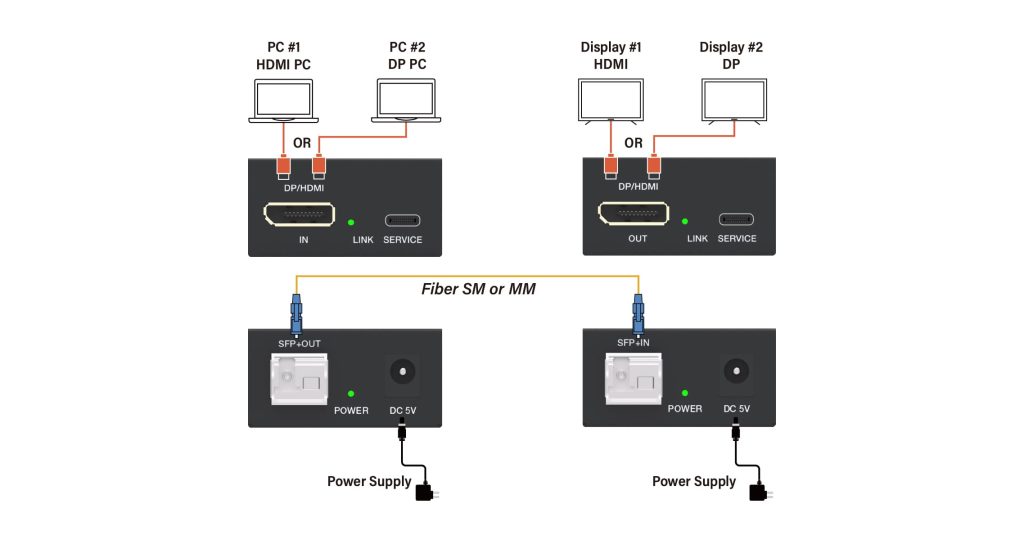
6. DIAGRAM OF ITRANS DH-F300
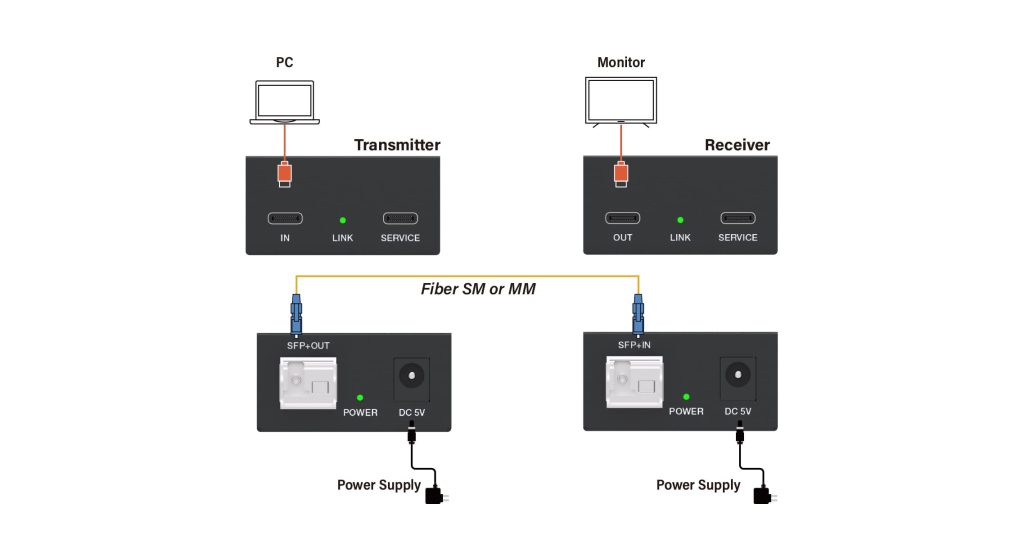
7. DIAGRAM OF ITRANS UC-F300
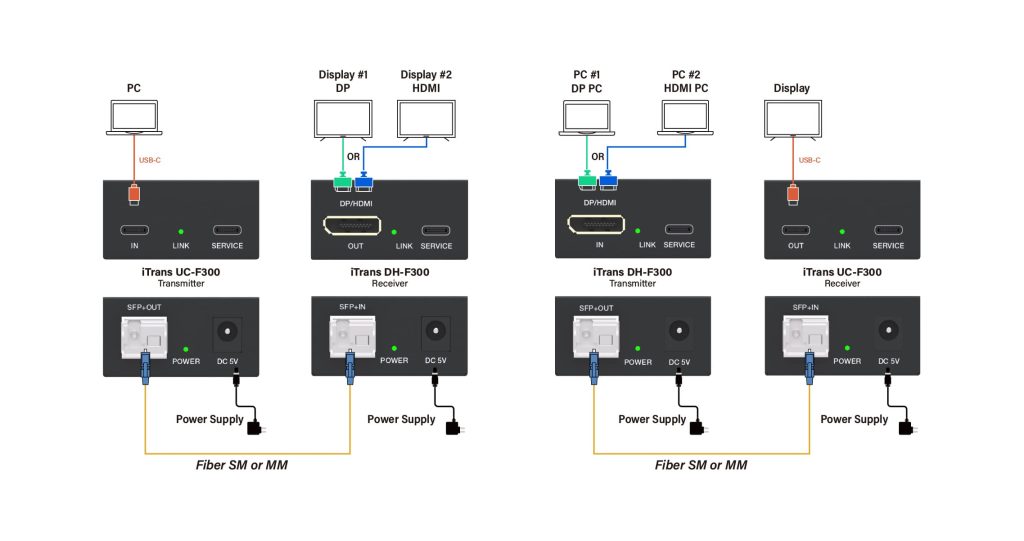
8. DIAGRAM OF MIX CONNECTION
The iTrans UC-F300 can be mixed with the iTrans DH-F300. Flexible connection, no matter USB-C, DP, or HDMI ports
Learn more details of the iTrans UC-F300.
Learn more details of the iTrans DH-F300.
Contact INFOBIT sales via info@infobitav.com for inquiry.