







The setup of today’s office has changed a great deal. In the past, staff relied on fixed PC supplied by the company. Now, the current workspace centers on movement and ease. The core of this change lies in the Bring Your Wwn Device definition. This term describes the company rule that lets workers use their own gadgets—like phones, tablets, and notebooks—for job duties and to reach business information. Such an approach helps blend personal tools with work needs smoothly.
For numerous people, this shift seems straightforward. In fact, close to 80% of staff questioned around the world say they handle daily tasks with several gadgets. Yet, this freedom brings tough issues related to IT setup, information safety, and gadget matching.
What Are the Core Components of a BYOD Strategy?
A working plan needs more than approval. It calls for a strong tech base. To see the Bring Your Own Device definition at work, consider how these private gadgets link with office spaces. Such elements ensure smooth operation across varied tools.
- Gadget Variety: The plan has to support a wide range of systems, covering Windows, macOS, Android, Chrome, and iOS tools. This setup lets users pick what suits them best without barriers.
- Easy Linking: Cutting out the usual hassle of mismatched wires matters a lot. Options such as easy-connect wireless setups let people share slides right away. As a result, meetings flow without delays from tech glitches.
- Add-On Grouping: When workers switch between their notebooks and firm PC, handling various pointers, key sets, and screens turns tricky. A main hub, like a KVM switch, serves as the solution to oversee this. It simplifies control and reduces mess in shared areas.
Why Should Businesses Implement a BYOD Policy?
The main push for BYOD comes from aiming for better output. If a worker wastes moments fixing links between a notebook and a screen, that time slips away from sharing thoughts with leaders. Therefore, smooth tools boost focus on key tasks.
|
Benefit |
Beschreibung |
|
Enhanced Productivity |
Cuts down hours lost to wire issues and gadget shifts. Workers then handle more in less time, leading to sharper results overall. |
|
Space Optimization |
Clears out desk mess by relying on one station for various units. This keeps areas neat and makes rooms feel wider for teams to gather. |
|
Flexibility |
Lets staff operate on tools they know well. Comfort with familiar items raises morale and cuts learning curves. |
|
Multitasking Efficiency |
Supports quick changes between desktop and notebook setups. This aids handling several jobs without slowdowns. |
How to Develop a Robust Bring Your Own Device Security Policy?
BYOD brings liberty, but it also raises key safety concerns. A bring your own device security policy goes beyond advice. It acts as a vital shield for company resources. Firms need to spell out precisely what information users can view and when.
A full Bring Your Own Device security policy ought to cover:
- Information Division: Setting clear lines between private apps and work files to avoid mixing risks. This keeps sensitive details safe from everyday use.
- Entry Rules: Making sure only approved gadgets join the inner network. Such steps block unwanted access effectively.
- Rule Following and Duty: Detailing what the firm can check on private tools to guard data. This builds trust while upholding standards.
How Do You Handle BYOD Device Management?
Solid BYOD device management sets apart a messy office from an orderly digital area. Lacking good oversight, the flood of gadgets can cause IT jams and tool clashes. Proper handling turns potential chaos into a reliable flow.
To ease BYOD device management, companies frequently use:
- Wireless Conference Options: Gear that skips limiting wires and starts sharing in moments, no matter the gadget type. Teams thus collaborate faster and with fewer hurdles.
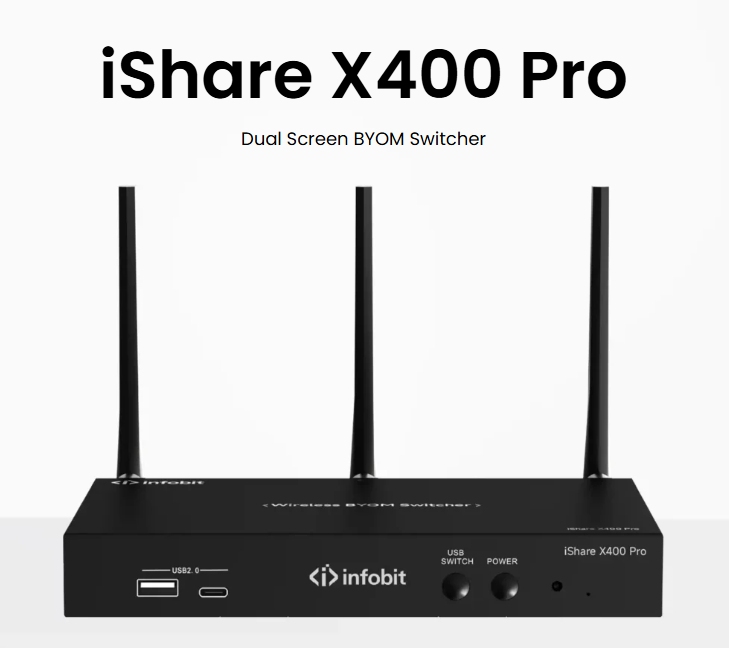
- Tool Stations: KVM switches work as bridges. They let one user oversee several machines—including their own and office ones—from a single key set, screen, and pointer. This central point streamlines daily switches.
- Upgraded Handling Panels: Gear with special OSD (On-Screen Display) keys and touch boards to direct sound, images, and files without effort. Users gain quick access to controls that fit their needs.
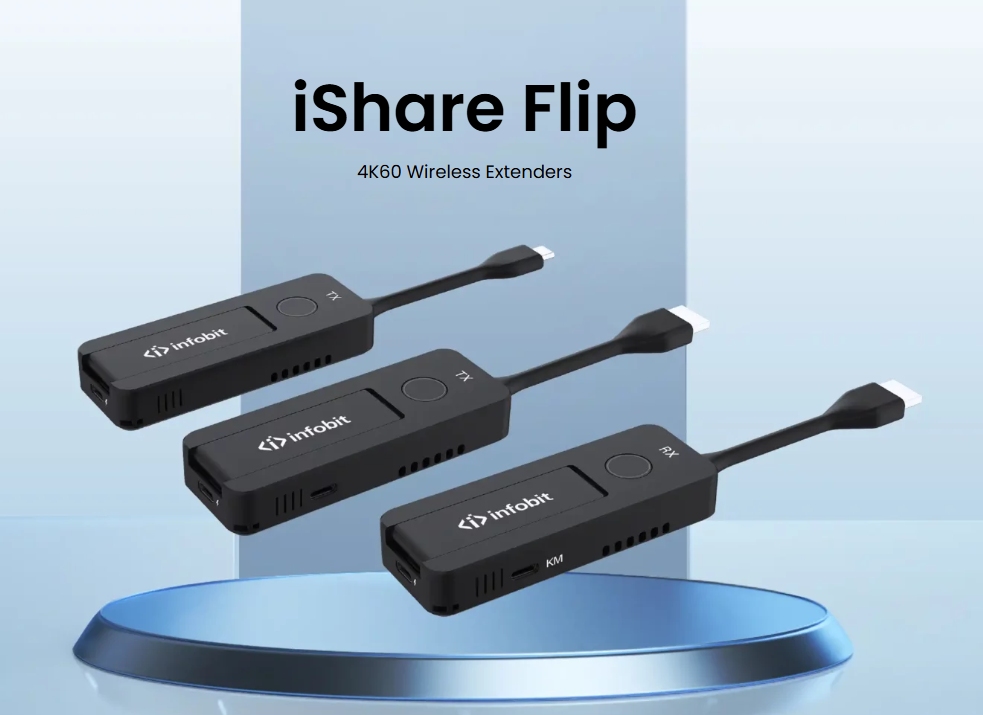
These fixes support “less-1U” builds that slot into storage frames without clashing with nearby items. Thus, BYOD device management stays neat and effective. Handled well, people can shift from a desktop to a notebook with one press. This keeps processor tasks running smoothly without harm. In busy settings, such reliability saves time and cuts stress.
Conclusion
Office changes call for matching personal choices with firm safety. By taking on a plain bring your own device definition and applying a strict bring your own device security policy, businesses can tap into worker output while holding a firm grip. Adding top-level BYOD device management gear—such as items from INFOBIT AV—makes sure the workspace fosters new ideas instead of tech woes. Through wireless sharing or main KVM station oversight, the aim is to let tech fade into the background. In this way, attention stays on vital efforts that drive success.
For skilled help in picking suitable stations or wireless blend tools for your conference space, reach out to the INFOBIT AV crew for sound advice. Their insights can tailor solutions to your exact setup.
FAQ
Q: What are the main benefits of a bring your own device definition?
A: The BYOD definition highlights ease and better output. Letting team members use their favored gear cuts down on tool fixes. It also helps them operate with greater comfort. Overall, this leads to smoother daily routines and happier staff.
Q: Why is a BYOD security policy necessary?
A: The BYOD security policy proves vital to guard firm files from risks. These risks arise when key details sit on unchecked private gear. It sets the rules and tech base to secure business information properly. Without it, vulnerabilities could lead to costly losses.
Q: How does BYOD device management improve meeting room efficiency?
A: A good BYOD device management draws on items like wireless share fixes and KVM switches. These remove the hunt for connectors and wires. As such, gatherings begin quickly and clear desk clutter. Sessions run smoother, allowing focus on discussions rather than setup.
Q: What hardware is best for managing multiple BYOD devices?
A: KVM switches rank as the go-to gear for BYOD device management. They enable the handling of several machines or servers from one keyboard, pointer, and screen. This creates a single “station” effect. In practice, it eases oversight in dynamic environments.
Q: How do I ensure my BYOD setup is secure and scalable?
A: Put funds into quality gear that backs pro standards. Combine it with a written bring your own device security policy. Teaming with top makers guarantees checked items that mesh with your current setup. This approach supports growth as your team expands.
